1
2
3
4
5
6
7
8
9
10
11
12
13
14
15
16
17
18
19
20
21
22
23
24
25
26
27
28
29
30
31
32
33
34
35
36
37
38
39
40
41
42
43
44
45
46
47
48
49
50
51
52
53
54
55
56
57
58
59
60
61
62
63
64
65
66
67
68
69
70
71
72
73
74
75
76
77
78
79
80
81
82
83
84
85
86
87
88
89
90
91
92
93
94
95
96
97
98
99
100
101
102
103
104
105
106
107
108
109
110
111
112
113
114
115
116
117
118
119
120
121
122
123
124
125
126
127
128
129
130
131
132
133
134
135
136
137
138
139
140
141
142
143
144
145
146
147
148
149
150
151
152
153
154
155
156
157
158
159
160
161
162
163
164
165
166
167
168
169
170
171
172
173
174
175
176
177
178
179
180
181
182
183
184
185
186
187
188
189
190
191
192
193
194
195
196
197
198
199
200
201
202
203
204
205
206
207
208
209
210
|
DAMO: Data Access Monitoring Operator
=====================================
`damo` is a user space tool for [DAMON](https://damonitor.github.io). Using
this, you can monitor the data access patterns of your system or workloads and
make data access-aware memory management optimizations.

Official Repositories
---------------------
Official git repos for `damo` are hosted on kernel.org and GitHub:
- kernel.org: https://git.kernel.org/pub/scm/linux/kernel/git/sj/damo.git
- GitHub: https://github.com/damonitor/damo
Demo Video
==========
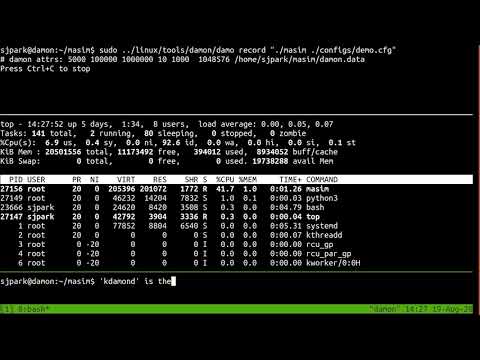
Please click the below thumbnail to show the short demo video.
[](
http://www.youtube.com/watch?v=l63eqbVBZRY
"DAMON: a demo for the Kernel Summit 2020")
Getting Started
===============
[](https://repology.org/project/damo/versions)
Follow below instructions and commands to monitor and visualize the access
pattern of your workload.
$ # ensure DAMON is enabled on your kernel
$ # install damo using packaging systems listed above,
$ # or cloning the source repo and updating $PATH.
$ sudo damo start $(pidof <your workload>)
$ sudo damo report access
$ sudo damo record ongoing
$ sudo damo report heatmap --draw_range hottest
The second and last commands will show the access pattern of your workload,
like below:


FAQs
====
What kernels are supported by `damo`?
-------------------------------------
`damo` aims to support any Linux kernel that enables DAMON, regardless of the
version and downstream changes. Of course, `damo` will be unable to support
some of such kernels in some special cases. That said, please reach out to the
development community for discussions.
How can I ensure DAMON is enabled on my kernel?
-----------------------------------------------
Please refer to 'Install'
[section](https://damonitor.github.io/#install) of the project webpage.
Where can I get more detailed usage?
------------------------------------
The below sections provide quick introductions for `damo`'s major features.
For more detailed usage, please refer to [USAGE.md](USAGE.md) file.
What does the version numbers mean?
-----------------------------------
Nothing at all but indicate which version is more fresh. A higher version
number means it is more recently released.
This also means that there is no special versions for hotfixes. Instead, all
bug fixes and new features are released together in fast speed (nearly once per
week) under the single version scheme. We also strive a high level of
stability across all versions. Users are therefore recommended to use latest
version always if possible. It is the only way to get all bug fixes and new
features. If there is any problem at upgrading the version, please report an
issue.
Will the features of `damo` be supported forever?
-------------------------------------------------
We try our best to make `damo` stable and doesn't introduce regressions to
users. However, nothing goes forever. Sometimes, some features will be
deprecated. Some features will have longer support more than others.
In short, features that documented on [USAGE.md](USAGE.md) and not explicitly
marked as experimental will be better supported, and provides at least three
months of deprecation grace period. Within the grace period, users can ask
extension of the support.
Detailed features deprecation process is documented at
[FEATURES_DEPRECATION_PROCESS.md](FEATURES_DEPRECATION_PROCESS.md). Schedules
and status of deprecations are updated on
[FEATURES_DEPRECATION_SCHEDULE.md](FEATURES_DEPRECATION_SCHEDULE.md).
How can I participate in the development of `damo`?
---------------------------------------------------
Please refer to
[CONTRIBUTING](https://github.com/damonitor/damo/blob/next/CONTRIBUTING) file.
Quick Intro for Major Features
==============================
Below are quick introductions for `damo`'s major features.
For more detailed usage, please refer to [USAGE.md](USAGE.md) file.
Snapshot Data Access Pattern
----------------------------
Below commands repeatedly get a snapshot of the access pattern of a program for
every second.
$ git clone https://github.com/sjp38/masim
$ cd masim; make; ./masim ./configs/zigzag.cfg --silent &
$ sudo damo start --target_pid $(pidof masim)
$ sudo damo report access --repeat
The first two lines of the commands get an artificial memory access generator
program and run it in the background. It will repeatedly access two 100
MiB-sized memory regions one by one. You can substitute this with your real
workload.
The third line asks ``damo`` to start monitoring the access pattern of the
process. Finally, the last line retries a snapshot of the monitoring results
every second and show on terminal.
Recording Data Access Patterns
------------------------------
Below commands record memory access patterns of a program and save the
monitoring results in `damon.data` file.
$ git clone https://github.com/sjp38/masim
$ cd masim; make; ./masim ./configs/zigzag.cfg --silent &
$ sudo damo record -o damon.data $(pidof masim)
The first two lines of the commands get an artificial memory access generator
program and run it in the background. It will repeatedly access two 100
MiB-sized memory regions one by one. You can substitute this with your real
workload. The last line asks ``damo`` to record the access pattern in
``damon.data`` file.
Visualizing Recorded Patterns
-----------------------------
Below three commands visualize the recorded access patterns into five
image files.
$ damo report heatmap --output access_pattern_heatmap.png --draw_range all
$ damo report wss --range 0 101 1 --plot wss_dist.png
$ damo report wss --range 0 101 1 --sortby time --plot wss_chron_change.png
The first command will create three files, namely `access_pattern_heatmap.png`,
`access_patern_heatmap.1.png`, and `access_pattern_heatmap.2.png`.
- ``access_pattern_heatmap{,1,2}.png`` will show the data access pattern of
three address ranges nearby stack, `mmap()`-ed region, and heat in heatmaps,
which shows when (x-axis) what memory region (y-axis) is how frequently
accessed (color).
- ``wss_dist.png`` will show the distribution of the working set size.
- ``wss_chron_change.png`` will show how the working set size has
chronologically changed.
Those similarly made with other realistic workloads are available [1,2,3].
[1] https://damonitor.github.io/test/result/visual/latest/rec.heatmap.1.png.html<br>
[2] https://damonitor.github.io/test/result/visual/latest/rec.wss_sz.png.html<br>
[3] https://damonitor.github.io/test/result/visual/latest/rec.wss_time.png.html
Data Access Pattern Aware Memory Management
-------------------------------------------
Below command makes every memory region of size >=4K that hasn't accessed for
>=60 seconds in your workload to be swapped out. By doing this, you can make
your workload more memory efficient with only modest performance overhead.
$ sudo damo start --damos_access_rate 0 0 --damos_sz_region 4K max \
--damos_age 60s max --damos_action pageout \
--target_pid <pid of your workload>
Holistic Memory Usage Monitoring
--------------------------------
You can also show access pattern heatmap, memory footprints, and hotspot
functions of the system and/or workloads all at once in live, like below.

|
