1
2
3
4
5
6
7
8
9
10
11
12
13
14
15
16
17
18
19
20
21
22
23
24
25
26
27
28
29
30
31
32
33
34
35
36
37
38
39
40
41
42
43
44
45
46
47
48
49
50
51
52
53
54
55
56
57
58
59
60
61
62
63
64
65
66
67
68
69
70
71
72
73
74
75
76
77
78
79
80
81
82
83
84
85
86
87
88
89
90
91
92
93
94
95
96
97
98
99
100
101
102
103
104
105
106
107
108
109
110
111
112
113
114
115
116
117
118
119
120
121
122
123
124
125
126
127
128
129
130
131
132
133
134
135
136
137
138
139
140
141
142
143
144
145
146
147
148
149
150
151
152
153
154
155
156
157
158
159
160
161
162
163
164
165
166
167
168
169
170
171
172
173
174
175
176
177
178
179
180
181
182
183
184
185
186
187
188
189
190
191
192
193
194
195
196
197
198
199
200
201
202
203
204
205
206
207
208
209
210
211
212
213
214
215
216
217
218
219
220
221
222
223
224
225
226
227
228
229
230
231
232
233
234
235
236
237
238
239
240
241
242
243
244
245
246
247
248
249
250
251
252
253
254
255
256
257
258
259
260
261
262
263
264
265
266
267
268
269
270
271
272
273
274
275
276
277
278
279
280
281
282
283
284
285
286
287
288
289
290
291
292
293
294
295
296
297
298
299
300
301
302
303
304
305
306
307
308
309
310
311
312
313
314
315
316
317
318
319
320
321
322
323
324
325
326
327
328
329
330
331
332
333
334
335
336
337
338
339
340
341
342
343
344
345
346
347
348
349
350
351
352
353
354
355
356
357
358
359
360
361
362
363
364
365
366
367
368
369
370
371
372
373
374
375
376
377
378
379
380
381
382
383
384
385
386
387
388
389
390
391
392
393
394
395
396
397
398
399
400
401
402
403
404
405
406
407
408
409
410
411
412
413
414
415
416
417
418
419
420
421
422
423
424
425
426
427
428
429
430
431
432
433
434
435
436
437
438
439
440
441
442
443
444
445
446
447
448
449
450
451
452
453
454
455
456
457
458
459
460
461
462
463
464
465
466
467
468
469
470
471
472
473
474
475
476
477
478
479
480
481
482
483
484
485
486
487
488
489
490
491
492
493
494
495
496
497
498
499
500
501
502
503
504
505
506
507
508
509
510
511
512
513
514
515
516
517
518
519
520
521
522
523
524
525
526
527
528
529
530
531
532
533
534
535
536
537
538
539
540
541
542
543
544
545
546
547
548
549
550
551
552
553
554
555
556
557
558
559
560
561
562
563
564
565
566
567
568
569
570
571
572
573
574
575
576
577
578
579
580
581
582
583
584
585
586
587
588
589
590
591
592
593
594
595
596
597
598
599
600
601
602
603
604
605
606
607
608
609
610
611
612
613
614
615
616
617
618
619
620
621
622
623
624
625
626
627
628
629
630
631
632
633
634
635
636
637
638
639
640
641
642
643
644
|
Durdraw
=======
__ __
_| |__ __ _____ __| |_____ _____ __ __ __
/ _ | | | __| _ | __| _ | | | |\
/_____|_____|__|__|_____|__|___\____|________| |
\_____________________________________________\| v 0.29.0

## Overview
Durdraw is an ASCII, Unicode and ANSI art editor for UNIX-like systems (Linux,
macOS, etc). It runs in modern Utf-8 terminals and supports frame-based
animation, custom themes, 256 and 16 color modes, terminal mouse input, DOS
ANSI art viewing, CP437 and Unicode mixing and conversion, HTML output, mIRC
color output, and other interesting features.
Durdraw is heavily inspired by classic ANSI editing software for MS-DOS and
Windows, such as TheDraw, Aciddraw and Pablodraw, but with a modern Unix twist.
- [Overview](#overview)
- [Requirements](#requirements)
- [Installation](#installation)
- [Gallery](#gallery)
- [Usage](#usage)
- [Command Line](#command-line)
- [Interactive Usage/Editing](#interactive-usageediting)
- [Configuration](#configuration)
- [Durfetch](#durfetch)
- [FAQ](#faq)
- [Other](#other)
---
## Requirements
* Python 3 (3.10+ recommended)
* Linux, macOS, or other Unix-like System
**Optional Requirements**
1. `ansilove`
For PNG and animated GIF export, please install `ansilove` (https://ansilove.org/) and make sure it is is in your path.
_PNG and GIF export only works in 16-color mode for now, and only with CP437 compatible characters._
2. `neofetch`
For [durfetch](#durfetch) support, please install `neofetch` and place it in your path.
## Installation
You can install `durdraw` via several methods:
- [Via OS Repositories](#via-os-repositories)
- [Via Source Repository](#via-source-repository)
- [Via pip](#via-pip)
After installing, you should be able to run `durdraw`. Press `esc-h` for help, or try `durdraw --help` for [command-line options](#command-line-usage).
_If you just want to run it without installing, see [Running Without Installing](#running-without-installing). You can also install via the included Dockerfile._
### Via OS Repositories
[](https://repology.org/project/durdraw/versions)
### Via Source Repository
1. Download and extract, or use git to download:
```shell
git clone https://github.com/cmang/durdraw.git
cd durdraw
```
2. Install or upgrade using pip:
```shell
python3 -m pip install --upgrade .
```
3. Optionally, install some themes and a sample configuration file for your local user into `~/.durdraw/`:
```shell
./installconf.sh
```
This will place durdraw.ini into `~/.durdraw/` and the themes into `~/.durdraw/themes/`.
### Via pip
Alternatively, you can install the pip package pip directly (_Please note that this installation method does not include everything, i.e. the example dur files under `examples/`_, or the entrypoint scripts in the section below)
```shell
# install `master` branch version:
python3 -m pip install 'git+https://github.com/cmang/durdraw'
# install specific version:
python3 -m pip install 'git+https://github.com/cmang/durdraw@0.28.0'
# install `dev` branch version:
python3 -m pip install 'git+https://github.com/cmang/durdraw@dev'
```
### Running Without Installing
You can run Durdraw with:
```shell
./start-durdraw
```
To look at some included example animations:
```shell
./start-durdraw -p examples/*.dur
```
## Gallery
### Tutorials
| | |
|-|-|
| [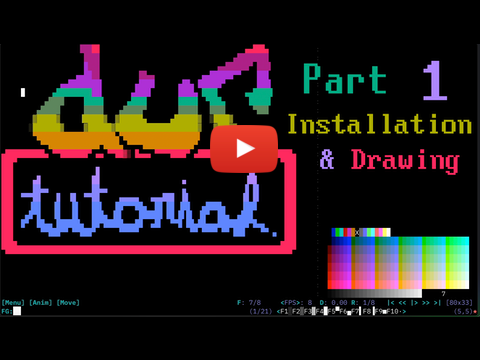](https://youtu.be/vWczO0Vd_54) | [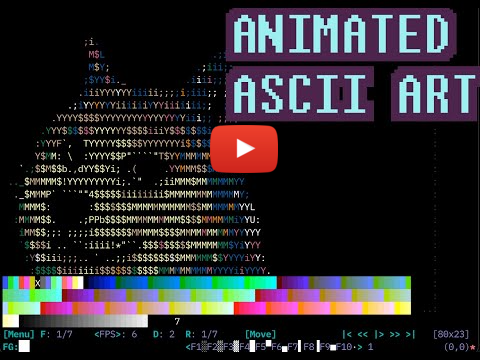](https://youtu.be/7Icf08bkJxg) |
### Screenshots
| | |
|-|-|
| 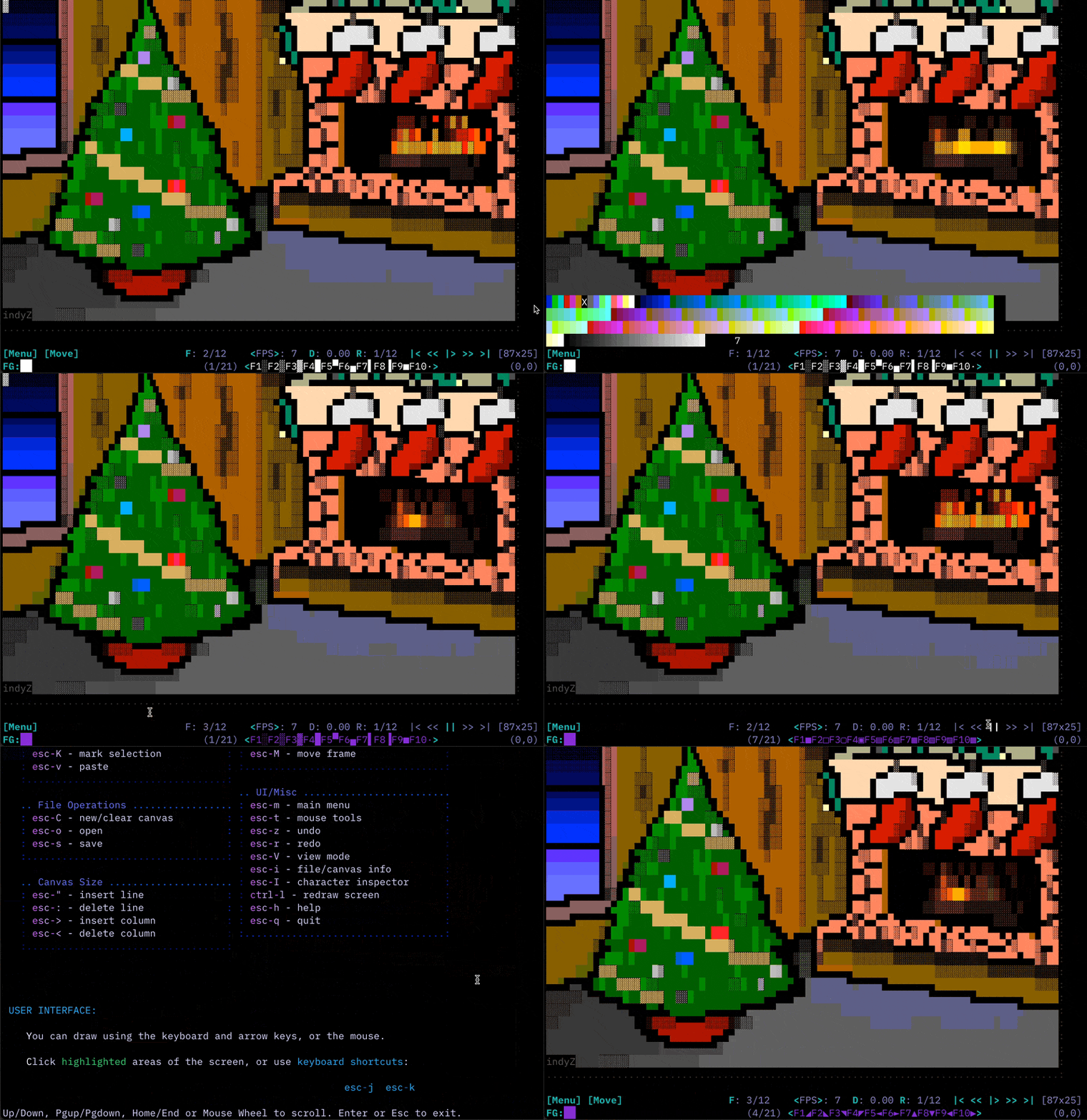 |  |
|  |  |
|  |  |
## Usage
### Command Line
You can play a `.dur` file or series of `.dur` (or `.ANS` or `.ASC`) files with:
```shell
durdraw -p filename.dur
durdraw -p file1.dur file2.dur file3.dur ...
```
Or view a downloaded ANSI artpack with:
```shell
durdraw -p *.DIZ *.ASC *.ANS
```
Other command-line options:
```
usage: durdraw [-h] [-p PLAY [PLAY ...]] [-d DELAYEXIT] [-x TIMES] [--256color | --16color] [-b] [-W WIDTH] [-H HEIGHT] [-m]
[--wrap WRAP] [--nomouse] [--cursor CURSOR] [--notheme] [--theme THEME] [--cp437] [--export-ansi] [-u UNDOSIZE]
[--fetch] [-V]
[filename]
positional arguments:
filename .dur or ascii file to load
options:
-h, --help show this help message and exit
-p PLAY [PLAY ...], --play PLAY [PLAY ...]
Just play .dur, .ANS or .ASC file or files, then exit
-d DELAYEXIT, --delayexit DELAYEXIT
Wait X seconds after playback before exiting (requires -p)
-x TIMES, --times TIMES
Play X number of times (requires -p)
--256color Try 256 color mode
--16color Try 16 color mode
-b, --blackbg Use a black background color instead of terminal default
-W WIDTH, --width WIDTH
Set canvas width
-H HEIGHT, --height HEIGHT
Set canvas height
-m, --max Maximum canvas size for terminal (overrides -W and -H)
--wrap WRAP Number of columns to wrap lines at when loading ASCII and ANSI files (default 80)
--nomouse Disable mouse support
--cursor CURSOR Cursor mode (block, underscore, or pipe)
--notheme Disable theme support (use default theme)
--theme THEME Load a custom theme file
--cp437 Display extended characters on the screen using Code Page 437 (IBM-PC/MS-DOS) encoding instead of Utf-8.
(Requires CP437 capable terminal and font) (beta)
--export-ansi Export loaded art to an .ansi file and exit
-u UNDOSIZE, --undosize UNDOSIZE
Set the number of undo history states - default is 100. More requires more RAM, less saves RAM.
--fetch Replace fetch strings with Neofetch output
-V, --version Show version number and exit
```
### Interactive Usage/Editing
- Use the arrow keys (or mouse) and other keys to edit, much like a text editor.
- You can click highlighted areas of the screen.
- You can use the "Esc" (or "Meta") key to access keyboard shortcuts and commands:
```
____________. _________ __________ _________ _____ _______
.-\\___ / |______/ _ /.-\\___ // _ /_/ _ \_.____. \ /
| |/ / | / / /:| |/ / / /Y Y Y | / /
| / /| | / _ _/ || / /: _ _/ : _ | /\/ /
| /:| : : Y |: /:| Y | Y | /:H7
|____ |_________|___| |_____ |____| | |____|____/\_____|
.-- `-----' ----------- `------': - `-----' -- `------'----' -----------------.
| |
`-----------------------------------------------------------------------------'
.. Art Editing ..................... .. Animation .......................
: F1-F10 - insert character : : esc-k - next frame :
: esc-1 to esc-0 - same as F1-F10 : : esc-j - previous frame :
: esc-space - insert draw char : : esc-p - start/stop payback :
: esc-c/tab - color picker : : esc-n - clone frame :
: esc-left - next fg color : : esc-N - append empty frame :
: esc-right - prev fg color : : esc-d - delete frame :
: esc-up - change color up : : esc-D - set frame delay :
: esc-down - change color down : : esc-+/esc-- - faster/slower :
: esc-' - insert line : : esc-R - set playback/edit range :
: esc-; - delete line : : esc-g - go to frame # :
: esc-. - insert column : : esc-M - move frame :
: esc-, - delete column : : esc-{ - shift frames left :
: esc-] - next character group : : esc-} - shift frames right :
: esc-[ - previous character group : :..................................:
: esc-S - change character set :
: esc-L - replace color : .. UI/Misc .........................
: esc-y - eyedrop (pick up color) : : esc-m - main menu :
: esc-P - pick up character : : esc-a - animation menu :
: esc-l - color character : : esc-t - mouse tools :
: shift-arrows - select for copy : : esc-z - undo :
: esc-K - mark selection : : esc-r - redo :
: esc-v - paste : : esc-V - view mode :
:..................................: : esc-i - file/canvas info :
: esc-I - character inspector :
.. File Operations ................. : esc-F - search/find string :
: esc-C - new/clear canvas : : ctrl-l - redraw screen :
: esc-o - open : : esc-h - help :
: esc-s - save : : esc-q - quit :
:..................................: :..................................:
.. Canvas Size .....................
: esc-" - insert line :
: esc-: - delete line :
: esc-> - insert column :
: esc-< - delete column :
:..................................:
esc-j esc-k
Prev Next Canvas
esc-f esc-g esc-- Frame Frame Size
esc-m Go to esc-+ esc-D esc-R esc-t | esc-p| |
Main Frame Speed Frame Play/Edit Mouse First | Play/| Last |
Menu Number | Delay Range Tools Frame | Pause| Frame |
| | | | | | | | | | | |
[Menu] F: 1/7 <FPS>: 8 D: 0.00 R: 1/8 [Move] |< << |> >> >| [80x24]
tab
esc-c esc-S
Pick esc-[ esc-] Charset set F1-F10 esc-[ esc-]
Foreground Character or Unicode Insert Special Prev/Next Cursor
Color Group Block Characters Char Group Position
| | | | \ |
FG:██ (1/21) [Dur..] <F1░F2▒F3▓F4█F5▀F6▄F7▌F8▐F9■F10·> (12,10)
ANIMATION:
Use the Animation Menu [Anim] or keyboard commands to insert (esc-n),
delete (esc-d), move (esc-M) and edit frames. Use esc-k and esc-j to
flip to the next and previous frames. The "Play" button (|> or esc-p)
starts or stops playback.
When the animation is playing, all changes made effect all frames
within the current playback/edit Range (R: or esc-R). Change playback
speed (<FPS> or Frames Per Second) with esc-+ (or esc-=) and esc--.
F: shows the current frame number, and you can go to a specific frame
with esc-g.
BRUSHES:
To make a brush, use shift-arrow or esc-K to make a selection, then
press b. To use the brush, click the Mouse Tools menu (esc-t) and select
Paint (P). You can now use the mouse to paint with your custom brush.
```
### Configuration
- [Example Themes](#example-themes)
- [Color Options](#color-options)
- [Theme Options](#theme-options)
- [Custom Character Sets](#custom-character-sets)
You can create a custom startup file where you can set a theme and other options.
> If you did not already do so during installation, you can install a sample configuration (_See step 3 under[Installation via Source Repository](#via-source-repository)_)
Here is an example `durdraw.ini` file, showing the available options:
```ini
; Durdraw 0.28.0 Configuration File
[Main]
; color-mode sets the color mode to start in. Available options: 16, 256
;color-mode: 16
; disable-mouse disables the mouse.
;disable-mouse: True
; max-canvas automatically sets the canvas size to the terminal window size at startup.
;max-canvas: True
; Cursor mode requests a cursor type from the terminal. Available options: block, underscore, pipe
;cursor-mode: underscore
; When scroll-colors is enabled, using the mouse wheel in the canvas changes the
; foreground color instead of moving the cursor.
;scroll-colors: True
[Theme]
theme-16: ~/.durdraw/themes/mutedchill-16.dtheme.ini
theme-256: ~/.durdraw/themes/mutedform-256.dtheme.ini
[Logging]
; filepath is the path to the log file. Default is ./durdraw.log
;filepath: ./durdraw.log
; level sets the logging level. Available options: DEBUG, INFO, WARNING, ERROR, CRITICAL. Default is WARNING
;level: WARNING
; local-tz indicates if the computer's local timezone should be used when logging instead of UTC
;local-tz: False
```
The option `'theme-16'` sets the path to the theme file used in 16-color mode, and `'theme-256'` sets the theme file used for 256-color mode.
You can also load a custom theme file using the `--theme` command-line argument and passing it the path to a theme file, or disable themes entirely with the `--notheme` command line option.
#### Example Themes
<table>
<tr>
<td>16-color theme</td>
<td>256-color theme</td>
</tr>
<tr>
<td style="vertical-align: top;">
```ini
[Theme-16]
name: 'Purple Drank'
mainColor: 6
clickColor: 3
borderColor: 6
clickHighlightColor: 5
notificationColor: 4
promptColor: 4
```
</td>
<td style="vertical-align: top;">
```ini
[Theme-256]
name: 'Muted Form'
mainColor: 104
clickColor: 37
borderColor: 236
clickHighlightColor: 15
notificationColor: 87
promptColor: 189
menuItemColor: 189
menuTitleColor: 159
menuBorderColor: 24
```
</td>
</tr>
</table>
#### Color Options
> (_for 16-color mode - color codes numbers for 256-color mode can be found in Durdraw's 256-color selector._)
| code | color |
|------|---------|
| 1 | black |
| 2 | blue |
| 3 | green |
| 4 | cyan |
| 5 | red |
| 6 | magenta |
| 7 | yellow |
| 8 | white |
#### Theme Options
| theme option | description |
|---------------------|-------------|
| mainColor | the color of most text |
| clickColor | the color of buttons (clickable items) |
| clickHighlightColor | the color the button changes to for a moment when clicked |
| borderColor | the color of the border around a drawing |
| notificationColor | the color of notification messages |
| promptColor | the color of user prompt messages |
| menuItemColor | the color of menu items |
| menuTitleColor | the color of menu titles |
| menuBorderColor | the color of the border around menus |
#### Custom Character Sets
You can create custom character set files and place them in the ~/.durdraw/charsets folder. Character set files must have the file nme extension .ini. Durdraw will automatically scan for these files and include them in the list of character sets (esc-S).
An example character set file is provided in example-charset.ini:
```ini
; Custom character set
; 🭨 🭩 🭪 🭫 🭬🭭🭮 🭯 🮚 🮛 🮜 🮝 🮞 🮟 ◤ ◥ ◢ ◣
[Character Set]
name: Cool Characters
encoding: utf-8
[block 1]
f1: 🭨
f2: 🭩
f3: 🭪
f4: 🭫
f5: 🭬
f6: 🭭
f7: 🭮
f8: 🭯
f9: 🮚
f10: 🮛
[block 2]
f1: 🮜
f2: 🮝
f3: 🮞
f4: 🮟
f5: ◤
f6: ◥
f7: ◢
f8: ◣
f9:
f10:
```
## Durfetch
`durfetch` is a program which acts like a fetcher. It uses Neofetch to obtain system statistics and requires that Neofetch be found in the path. You can put keys in your `.dur` files which `durfetch` will replace with values from Neofetch. You can also use built-in example animations.
Note that this feature is in beta, and is far from perfect, but it can be fun to play with. If anyone wants to improve `durfetch`, please feel free.
Keys will only be replaced if there is enough room in the art for the replacement value.
The following values can be used in your art and automatically interpreted by `durfetch`:
```yaml
{OS}
{Host}
{Kernel}
{Uptime}
{Packages}
{Shell}
{Resolution}
{DE}
{WM}
{WM Theme}
{Terminal}
{Terminal Font}
{CPU}
{GPU}
{Memory}
```
The `durfetch` executable takes the following command-line parameters:
```shell
usage: durfetch [-h] [-r | -l LOAD] [--linux | --bsd] [filename ...]
An animated fetcher. A front-end for Durdraw and Neofetch integration.
positional arguments:
filename .dur ASCII and ANSI art file or files to use
options:
-h, --help show this help message and exit
-r, --rand Pick a random animation to play
-l LOAD, --load LOAD Load an internal animation
--linux Show a Linux animation
--bsd Show a BSD animation
Available animations for -l:
bsd
cm-eye
linux-fire
linux-tux
unixbox
```
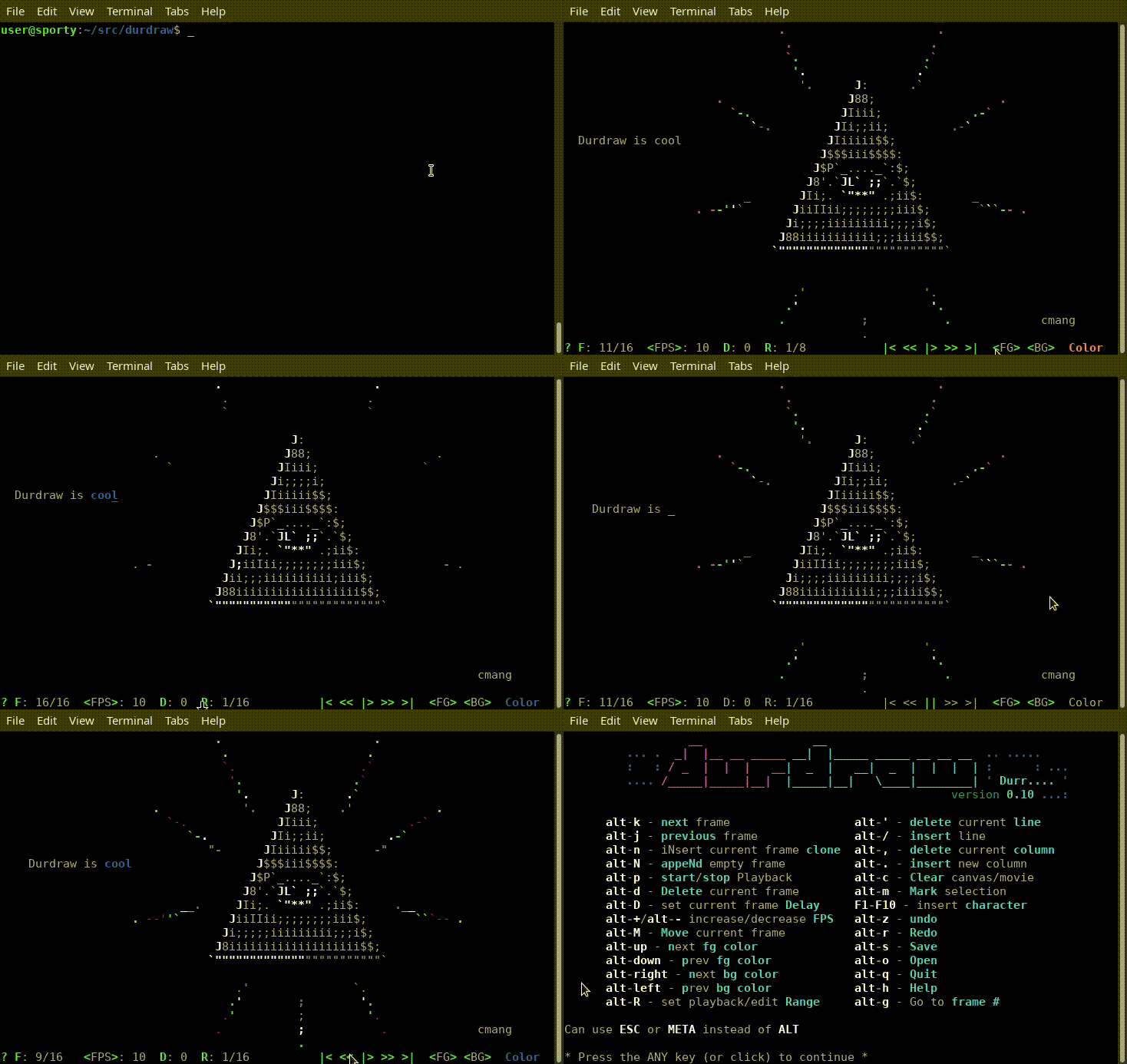
Here are some `durfetch` examples:
| | |
|-|-|
|  |  |
## Experimental Features
To enable an external feature, use an ENV var listed below in front of a `durdraw` command, e.g.
```shell
ENABLE_UNDO_TEMPFILES=1 durdraw animation.dur
```
The following list of features are experimental and may not work as expected:
```shell
ENABLE_UNDO_TEMPFILES=1 # store undo history using python the `tmpfile` lib instead of memory
```
## Development
### Testing
To run the test, you need to have `pytest` installed. You can install it with:
```shell
python3 -m pip install pytest
```
Then you can run the tests with:
```shell
pytest -vv test/
```
## FAQ
#### Q: Durdraw crashed! What do I do?
A: Oh no! I am sorry and hope nothing important was lost. But you can help fix it. Please take a screenshot of the crash and post it as a bug report at https://github.com/cmang/durdraw/issues/. Please try to describe what you were trying to do when it happened, and if possible, include the name of your terminal, OS and Python version. I will do my best to try to fix it ASAP. Your terminal will probably start acting weird if Durdraw crashed. You can usually fix it by typing "reset" and pressing enter.
#### Q: Don't TheDraw and some other programs already do ANSI animation?
A: Yes, but traditional ANSI animation does not provide any control over timing, instead relying on terminal baud rate to govern the playback speed. This does not work well on modern systems without baud rate emulation. Durdraw gives the artist fine control over frame rate, and delays per frame. Traditional ANSI animation also updates the animation one character at a time, while Durdraw updates the animation a full frame at a time. This makes it less vulnerable to visual corruption from things like errant terminal characters, resized windows, line noise, etc. Finally, unlike TheDraw, which requires MS-DOS, Durdraw runs in modern Unicode terminals.
#### Q: Can I run Durdraw in Windows?
A: Short answer: It's not supported, but it seems to work fine in the Windows Subsystem for Linux (WSL), and in Docker using the provided Dockerfile. Long answer: Some versions run fine in Windows Command Prompt, Windows Terminal, etc, without WSL, but it's not tested or supported. If you want to help make Durdraw work better in Windows, please help by testing, submitting bug reports and submitting patches.
#### Q: Can I run Durdraw on Amiga, MS-DOS, Classic MacOS, iOS, Android, Atari ST, etc?
A: Probably not easily. Durdraw requires Python 3 and Ncurses. If your platform can support these, it will probably run. However, the file format for Durdraw movies is a plain text JSON format. It should be possible to support this format in different operating systems and in different applications. See `durformat.md` for more details on the `.dur` file format.
#### Q: Does Durdraw support IBM-PC ANSI art?
A: Yes! IBM-PC ANSI art popular in the "ANSI Art Scene" uses Code Page 437 character encoding, which usually needs to be translated to work with modern terminals. When Durdraw encounters these files, it will convert them to Unicode and carry on. When you save ANSI files, it will ask if you want to use CP437 or Utf-8 encoding.
#### Q: I only see 8 colors in 16 color mode. Why?
A: Look in your terminal setting for "Use bright colors for bold," or a similarly named option. Durdraw's 16-color mode, like many vintage terminals (including MS-DOS), uses the Bold escape codes to tell the terminal that colors are "bright." This provides compatibility with many older systems. However, some terminals do not support or enable this option by default. Additionally, your terminal decides what colors to assign to the lower 16 colors. In many terminals, Durdraw can override the default 16 color palette. To do this, click on Menu -> Settings and select VGA, Commodore 64 or ZX Spectrum colors.
#### Q: Some or all of the F1-F10 keys do not work for me! What can I do?
A: You can use ESC-1 through ESC-0 as a replacement for F1-F10. Some terminals will map this to Alt-1 through Alt-0. You can also use the following settings in some terminals to enable the F1-F10 keys:
- **GNOME Terminal**: **Click**: Menu -> Edit -> Preferences -> General, and **uncheck** the box:
- [ ] Enable the menu accelerator key (F10 by default)
- **Xfce4-Terminal**: **Click**: Menu -> Edit -> Preferences -> Advanced, and **check** the 2 boxes:
- [x] Disable menu shortcut key (F10 by default)
- [x] Disable help window shortcut key (F1 by default)
## Other
- [Links, Media \& Thanks](#links-media--thanks)
- [Support](#support)
- [Community](#community)
- [Credits](#credits)
- [Legal](#legal)
### Links, Media & Thanks
Special thanks to the following individuals and organizations for featuring Durdraw in their content:
- Linux Magazine - https://www.linux-magazine.com/Issues/2024/281
- Linux Voice Magazine - https://archive.org/details/LinuxVoice/Linux-Voice-Issue-015/page/n71/mode/2up
- Bryan Lunduke at The Lunduke Journal - https://lunduke.locals.com/post/5327347/durdraw-like-thedraw-but-linux
- Korben - https://korben.info/editeur-ansi-ascii-unicode-durdraw-creer-art-terminal.html
- Jill Bryant and Venn Stone at Linux Game Cast - https://www.youtube.com/watch?v=HvZXkqg2vec&t=568s
- LinuxLinks - https://www.linuxlinks.com/durdraw-ascii-unicode-ansi-art-editor/
- Harald Markus Wirth (hmw) has made a Web `.dur` Player in JavaScript: https://harald.ist.org/stubs/webdurplayer/
If you write, podcast, vlog, or create content about Durdraw, or if you simply enjoy using it, I'd love to hear from you! Please reach out to me via the GitHub project page or at samfoster@gmail.com.
### Support
Thank you for considering a contribution to help sustain and enhance this project.
Financial contributions help cover essential costs like development time, domain registration, and web hosting.
You can donate to this project using any of these platforms:
- [Paypal](https://www.paypal.com/donate/?hosted_button_id=VTPZPFMDLY4X6)
- [Buymeacoffee](https://buymeacoffee.com/samfoster)
- [Patreon](https://patreon.com/SamFoster)
Other ways to support Durdraw include reporting bugs, providing feedback, and contributing code. Please refer to the CONTRIBUTING.md file for information and guidelines.
If you need assistance or have questions about Durdraw, feel free to reach out to us on GitHub. We're happy to help!
### Community
There are community discussions on Github, where people post art made with Durdraw. Check it out: https://github.com/cmang/durdraw/discussions
We also have a Discord server for Durdraw users. Join us: https://discord.gg/9TrCsUrtZD
If you are feeling really old school, you can try the #durdraw IRC channel on irc.libera.chat.
### Credits
- Home page: http://durdraw.org
- Development: https://github.com/cmang/durdraw
Durdraw is what it is thanks to the following people:
- Sam Foster - Creator, primary developer
- Tom McKeesick - Performnace enhancements, documentation formatting
- Alex Myczko - Man page, Debian ambassador
- sigurdo - Cursor shapes, command-line ANSI export
- yumpyy - Dockerfile
- Zhenrong Wang - Documentation updates
- Frederick Cambus - Documentation update
- eyooooo - Filename conventions, useful feedback
- HK - Beta testing, useful feedback
- ANSI and ASCII artists: `cmang`, `H7`, `LDA`, `HK`
### Legal
Durdraw is Copyright (c) 2009-2025 Sam Foster <samfoster@gmail.com>. All rights reserved.
The BSD Daemon is Copyright 1988 by Marshall Kirk McKusick.
This software is distributed under the BSD 3-Clause License. See LICENSE file for details.
|
