1
2
3
4
5
6
7
8
9
10
11
12
13
14
15
16
17
18
19
20
21
22
23
24
25
26
27
28
29
30
31
32
33
34
35
36
37
38
39
40
41
42
43
44
45
46
47
48
49
50
51
52
53
54
55
56
57
58
59
60
61
62
63
64
65
66
67
68
69
70
71
72
73
74
75
76
77
78
79
80
81
82
83
84
85
86
87
88
89
90
91
92
93
94
95
96
97
98
99
100
101
102
103
104
105
106
107
108
109
110
111
112
113
114
115
116
117
118
119
120
121
122
123
124
|
# Barcodes #
## Code 39 ##
Here is an example on how to generate a [Code 39](https://fr.wikipedia.org/wiki/Code_39) barcode:
```python
from fpdf import FPDF
pdf = FPDF()
pdf.add_page()
pdf.code39("*fpdf2*", x=30, y=50, w=4, h=20)
pdf.output("code39.pdf")
```
Output preview:

## Interleaved 2 of 5 ##
Here is an example on how to generate an [Interleaved 2 of 5](https://en.wikipedia.org/wiki/Interleaved_2_of_5) barcode:
```python
from fpdf import FPDF
pdf = FPDF()
pdf.add_page()
pdf.interleaved2of5("1337", x=50, y=50, w=4, h=20)
pdf.output("interleaved2of5.pdf")
```
Output preview:

## PDF-417 ##
Here is an example on how to generate a [PDF-417](https://fr.wikipedia.org/wiki/PDF-417) barcode
using the [`pdf417`](https://github.com/mosquito/pdf417) lib:
```python
from fpdf import FPDF
from pdf417 import encode, render_image
pdf = FPDF()
pdf.add_page()
img = render_image(encode("Lorem ipsum dolor sit amet, consectetur adipiscing elit. Sed non risus. Suspendisse lectus tortor, dignissim sit amet, adipiscing nec, ultricies sed, dolor. Cras elementum ultrices diam."))
pdf.image(img, x=10, y=50)
pdf.output("pdf417.pdf")
```
Output preview:

## QRCode ##
Here is an example on how to generate a [QR Code](https://en.wikipedia.org/wiki/QR_code)
using the [`python-qrcode`](https://github.com/lincolnloop/python-qrcode) lib:
```python
from fpdf import FPDF
import qrcode
pdf = FPDF()
pdf.add_page()
img = qrcode.make("fpdf2")
pdf.image(img.get_image(), x=50, y=50)
pdf.output("qrcode.pdf")
```
Output preview:

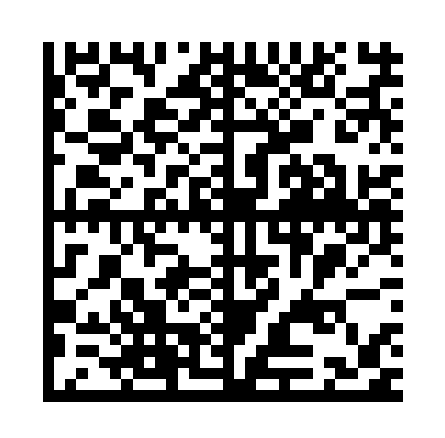
## DataMatrix ##
`fpdf2` can be combined with the [`pystrich`](https://github.com/mmulqueen/pyStrich) library to generate [DataMatrix barcodes](https://en.wikipedia.org/wiki/Data_Matrix):
`pystrich` generates pilimages, which can then be inserted into the PDF file via the `FPDF.image()` method.
```python
{% include "../tutorial/datamatrix_demo.py" %}
```
### Extend FPDF with a datamatrix() method ###
The code above could be added to the FPDF class as an extension method in the following way:
```python
{% include "../tutorial/datamatrix_method.py" %}
```
## Aztec Code ##
`fpdf2` can be combined with the [`aztec_code_generator`](https://pypi.org/project/aztec-code-generator/) Pypi library to generate [Aztec codes](https://en.wikipedia.org/wiki/Aztec_Code).
It can be installed by running `pip install aztec_code_generator`:
```python
{% include "../tutorial/aztec_code.py" %}
```
Output preview:
<img alt="Aztec code" src="./AztecCode.png" style="width: 15rem; image-rendering: optimizeSpeed">
## Code128 ##
Here is an example on how to generate a [Code 128](https://en.wikipedia.org/wiki/Code_128) barcode
using the [`python-barcode`](https://github.com/WhyNotHugo/python-barcode) lib,
that can be installed by running `pip install python-barcode`:
```python
{% include "../tutorial/code128_barcode.py" %}
```
Output Preview:

|
