1
2
3
4
5
6
7
8
9
10
11
12
13
14
15
16
17
18
19
20
21
22
23
24
25
26
27
28
29
30
31
32
33
34
35
36
37
38
39
40
41
42
43
44
45
46
47
48
49
50
51
52
53
54
55
56
57
58
59
60
61
62
63
64
|
# gWakeOnLAN
[](https://circleci.com/gh/muflone/gwakeonlan)
[](https://github.com/muflone/gwakeonlan/actions/workflows/python-3.8.yml)
[](https://github.com/muflone/gwakeonlan/actions/workflows/python-3.9.yml)
[](https://github.com/muflone/gwakeonlan/actions/workflows/python-3.10.yml)
[](https://github.com/muflone/gwakeonlan/actions/workflows/python-3.11.yml)
[](https://github.com/muflone/gwakeonlan/actions/workflows/python-3.12.yml)
**Description:** Wake up your machines using Wake on LAN
**Copyright:** 2009-2024 Fabio Castelli (Muflone) <muflone@muflone.com>
**License:** GPL-3+
**Source code:** https://github.com/muflone/gwakeonlan/
**Documentation:** http://www.muflone.com/gwakeonlan/
**Translations:** https://explore.transifex.com/muflone/gwakeonlan/
# Description
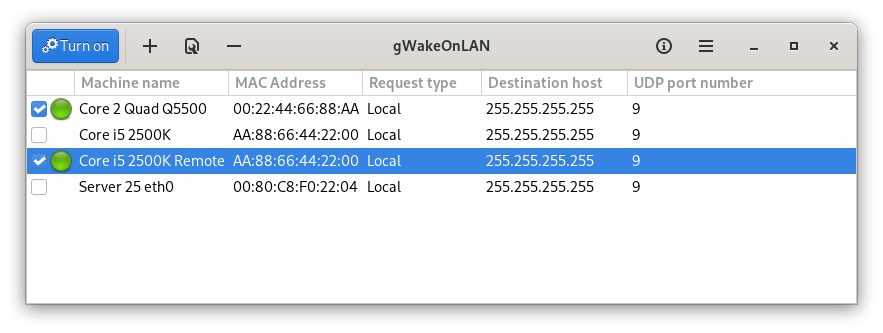
From the *gWakeOnLAN* main window you can define your hosts along with their
MAC Addresses, select those you want to turn on and just start them with a
simple click on the button **Turn on**.
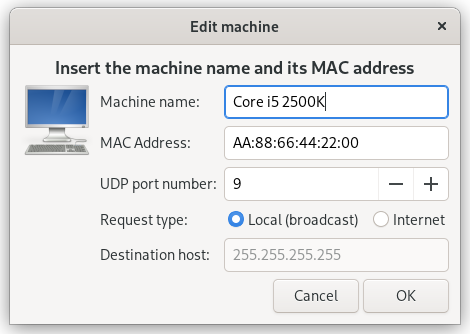
For each host you can define its name, the MAC address and you can choose to
turn it on on the local network or via internet through a destination
host.
# System Requirements
* Python >= 3.6 (developed and tested for Python 3.9 and 3.10)
* XDG library for Python 3 ( https://pypi.org/project/pyxdg/ )
* GTK+ 3.0 libraries for Python 3
* GObject libraries for Python 3 ( https://pypi.org/project/PyGObject/ )
# Installation
A distutils installation script is available to install from the sources.
To install in your system please use:
cd /path/to/folder
python3 setup.py install
To install the files in another path instead of the standard /usr prefix use:
cd /path/to/folder
python3 setup.py install --root NEW_PATH
# Usage
If the application is not installed please use:
cd /path/to/folder
python3 gwakeonlan.py
If the application was installed simply use the gwakeonlan command.
|
