1
2
3
4
5
6
7
8
9
10
11
12
13
14
15
16
17
18
19
20
21
22
23
24
25
26
27
28
29
30
31
32
33
34
35
36
37
38
39
40
41
42
43
44
45
46
47
48
49
50
51
52
53
54
55
56
57
58
59
60
61
62
63
64
65
66
67
68
69
70
71
72
73
74
75
76
77
78
79
80
81
82
83
84
85
86
87
88
89
90
91
92
93
94
95
96
97
98
99
100
101
102
103
104
105
106
107
108
109
110
111
112
113
114
115
116
117
118
119
120
121
122
123
124
125
126
127
128
129
130
131
132
133
134
135
136
137
138
139
140
141
142
143
144
145
146
147
148
149
150
151
152
153
154
155
156
157
158
159
160
161
162
163
164
165
166
167
168
169
170
171
172
173
174
175
176
177
178
179
180
181
182
183
184
185
186
187
188
189
190
191
192
193
194
195
196
197
198
199
200
201
202
203
204
205
206
207
208
209
210
211
212
213
214
215
216
217
218
219
220
221
222
223
224
225
226
227
228
229
230
231
232
233
234
235
236
237
238
239
240
241
242
243
244
245
246
247
248
249
250
251
252
253
254
255
256
257
258
259
260
261
262
263
264
265
266
267
268
269
270
271
272
273
274
275
276
277
278
279
280
281
282
283
284
285
286
287
288
289
290
291
292
293
294
295
296
297
298
299
300
301
302
303
304
305
306
307
308
309
310
311
312
313
314
315
316
317
318
319
320
321
322
323
324
325
326
327
328
329
330
331
332
333
334
335
336
337
338
339
340
341
342
343
344
345
346
347
348
349
350
351
352
353
354
355
356
357
358
359
360
361
362
363
364
365
366
367
368
369
370
371
372
373
374
375
376
377
378
379
380
381
382
383
384
385
386
387
388
389
390
391
392
393
394
395
396
397
398
399
400
401
402
403
404
405
406
407
408
409
410
411
412
413
414
415
416
417
418
419
420
|
Contributing to ITK
===================
Welcome to the Insight Toolkit (ITK) ! We are excited that you are here! Join us as a contributing member of the community.
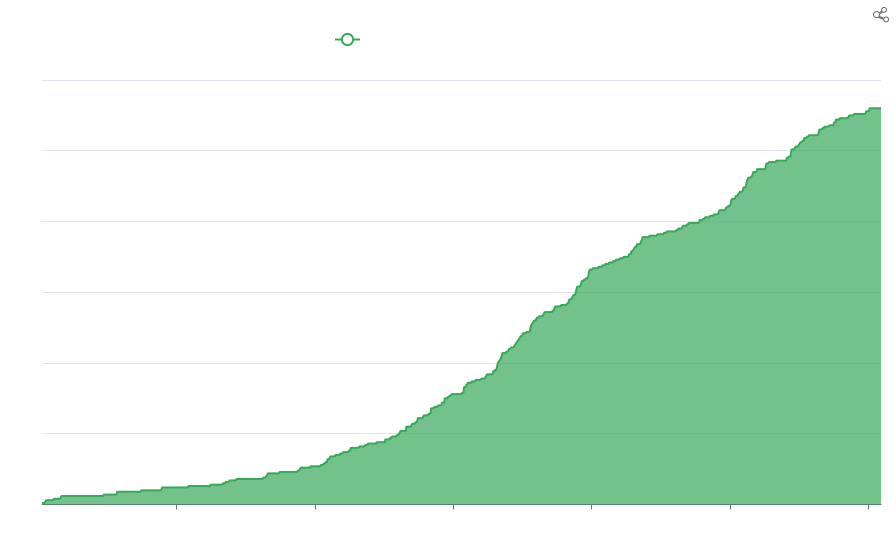
This article documents how to contribute improvements to ITK.
For a *quick start guide*, see the [ITK Git Cheatsheet].
If you are looking for an issue to resolve that will help the ITK community, see the *good first issue* label in the [ITKSphinxExamples](https://github.com/InsightSoftwareConsortium/ITKSphinxExamples/labels/good-first-issue) or [ITK](https://github.com/InsightSoftwareConsortium/ITK/labels/Good%20first%20issue) repositories.
Setup
-----
Before you begin, perform initial setup:
1. [Register for a GitHub](https://github.com/join) account.
2. Optionally download our [one page PDF desk reference](https://raw.githubusercontent.com/InsightSoftwareConsortium/ITK/master/Documentation/GitCheatSheet.pdf).
3. Follow the [download instructions] to create a local ITK clone:
```bash
git clone https://github.com/InsightSoftwareConsortium/ITK
```
4. Run the developer setup script [`SetupForDevelopment.sh`] to prepare your
ITK work tree and create Git command aliases used below:
```bash
./Utilities/SetupForDevelopment.sh
```
This script helps configure your GitHub fork remote, Git client-side hooks,
and useful Git aliases. The default Git remote names for your fork and
`InsightSoftwareConsortium/ITK` are `origin` and `upstream`, respectively.
However, other remote names can be used. Note that ITK defines some useful
Git aliases, such as `review-push`, `pr`, `pr-clean`, and `prepush`, through
the [`setup-git-aliases`] script for general Git tasks in ITK.
Visit the *Pro Git: Setup* resource in [Git Help] for further
information on setting up your local Git environment.
(build)=
Local Build and Testing
-----------------------
See our guide on how to [build and test ITK] to make and test your change
locally.
(workflow)=
Git Workflow
------------
ITK development uses a branchy workflow based on topic branches.
This corresponds to the *Fork & Pull Model* mentioned in the
[GitHub flow guide]. Our collaboration workflow consists of
three main steps:
1. Local Development
* [Update](#update)
* [Create a Topic](#create-a-topic)
2. Code Review
* [Share a Topic](#share-a-topic)
* [Test a Topic](#test-a-topic)
* [Revise a Topic](#revise-a-topic)
3. Integrate Changes
* [Merge a Topic](#merge-a-topic)
* [Delete a Topic](#delete-a-topic)
(update)=
Update
------
Update your local `master` branch:
```bash
git checkout master
git pullall
```
(create-a-topic)=
Create a Topic
--------------
All new work must be committed on topic branches. Name topics like you might
name functions: concise but precise. A reader should have a general idea of the
feature or fix to be developed given just the branch name.
To start a new topic branch:
```bash
git fetch upstream
```
For new development, start the topic from `upstream/master`:
```bash
git checkout -b my-topic upstream/master
```
For release branch fixes, start the topic from `upstream/release`:
```bash
git checkout -b my-topic upstream/release
```
(*You may visit the* Pro Git: Basic Branching *resource in [Git Help] for
further information on working with branches.*)
Edit files and create commits (repeat as needed). Add a prefix to your commit
message (see below).
```bash
edit file1 file2 file3
```
(*To add data follow [these instructions](data.md).*)
```sh
git add file1 file2 file3
git commit
```
(*You may visit the* Pro Git: Recording Changes *resource in [Git Help] for
further information on making changes and committing snapshots.*)
**Note**: *If your change modifies any of the modules in the
`Modules/ThirdParty` directory, please read our
[Updating Third Party] guide.*
(breaking-changes)=
Breaking Changes
----------------
Breaking changes are defined in ITK as those changes that introduce changes to
the API of the [major version](https://semver.org/) of the toolkit, and as
such, make a component of the toolkit no longer backwards compatible. Breaking
changes are only allowed in new major releases. Thus, the change may be held
up by the toolkit's maintainers to ensure consistency in the toolkit. Before
making such changes to the code, and considering other options to keep the
code backward-compatible, please either open an
[issue](https://github.com/InsightSoftwareConsortium/ITK/issues/new/choose)
from the appropriate category or discuss the subject in [ITK's Discourse]. If
the change finally is made into a *pull request*, cross-reference the issue
and/or the discussion with the appropriate link.
(design-changes)=
Design Changes
--------------
Design changes should be discussed in [ITK's Discourse]. A
[Design Impact
Report](https://github.com/InsightSoftwareConsortium/ITK/issues/new?labels=type%3ADesign&template=design_impact_report.md)
can also be opened to keep track of the requested change. Design changes need
explicit approval from the toolkit's maintainers.
(commit-messages)=
Commit Messages
---------------
Write your commit messages using the standard prefixes for ITK commit
messages:
* `BUG:` Fix for runtime crash or incorrect result
* `COMP:` Compiler error or warning fix
* `DOC:` Documentation change
* `ENH:` New functionality
* `PERF:` Performance improvement
* `STYLE:` No logic impact (indentation, comments)
* `WIP:` Work In Progress not ready for merge
The body of the message should clearly describe the motivation of the commit
(**what**, **why**, and **how**). In order to ease the task of reviewing
commits, the message body should follow the following guidelines:
1. Leave a blank line between the subject and the body.
This helps `git log` and `git rebase` work nicely, and allows to smooth
generation of release notes.
2. Try to keep the subject line below 72 characters, ideally 50.
3. Capitalize the subject line.
4. Do not end the subject line with a period.
5. Use the imperative mood in the subject line (e.g. `STYLE: Change
template parameter name prefix N to V`).
6. Wrap the body at 80 characters.
7. Use semantic line feeds to separate different ideas, which improves the
readability.
8. Be concise, but honor the change: if significant alternative solutions
were available, explain why they were discarded.
9. If the commit refers to a topic discussed in [ITK's Discourse], or fixes
a regression test, provide the link. If it fixes a compiler error, provide a
minimal verbatim message of the compiler error. If the commit closes an
issue, use the [GitHub issue closing
keywords](https://help.github.com/en/articles/closing-issues-using-keywords).
Keep in mind that the significant time is invested in reviewing commits and
*pull requests*, so following these guidelines will greatly help the people
doing reviews.
These guidelines are largely inspired by Chris Beam's
[How to Write a Commit Message](https://chris.beams.io/posts/git-commit/)
post.
(share-a-topic)=
Share a Topic
-------------
When a topic is ready for review and possible inclusion, share it by pushing
to GitHub and opening a *pull request* on the *InsightSoftwareConsortium/ITK*
upstream repository.
Checkout the topic if it is not your current branch:
```bash
git checkout my-topic
```
Check what commits will be pushed to GitHub for review:
```bash
git prepush
```
Push commits in your topic branch for review by the community:
```bash
git review-push --force
```
A URL will be provided in the terminal -- visit this url to review the topic
and open a pull request.
Optionally, discuss the change by opening a topic on [ITK's Discourse].
(test-a-topic)=
Test a Topic
------------
When a topic is submitted, it is tested across the three major platforms
before being merged thanks to the [Azure DevOps Pipelines CI
system](https://azure.microsoft.com/en-ca/services/devops/pipelines/),
as well as the [CDash GitHub
Checks](https://github.com/InsightSoftwareConsortium/ITKGitHubCDashStatus),
and [ITK Coding Style
check](https://github.com/InsightSoftwareConsortium/ITKClangFormatLinterAction).
If a platform configuration test failure appears to be a false positive, the
test can be re-executed by adding a comment to the pull request with the
content `/azp run <ConfigurationName>`. For example:
```
/azp run ITK.Linux
```
After the topic has been merged, it is tested on many
platforms and configurations on the [nightly
dashboard](https://open.cdash.org/index.php?project=Insight).
If tests fail on a submitted topic, see the [Revise a Topic](#revise-a-topic)
step on how to submit a revised version. After a topic is merged, please check
the next day's nightly dashboard to ensure there are not any regressions. If
there are any new warnings or errors, submit a follow-up patch as soon as
possible.
(revise-a-topic)=
Revise a Topic
--------------
Usually, a topic goes through several revisions in the review process.
Once a topic is approved during GitHub review, proceed to the
[next step](#merge-a-topic).
Checkout the topic if it is not your current branch:
```bash
git checkout my-topic
```
To revise the most recent commit on the topic edit files and add changes
normally and then amend the commit:
```bash
git commit --amend
```
(*You may visit the* Pro Git: Changing the Last Commit *resource in [Git Help]
for further information on revising and rewriting your commit history.*)
To revise commits further back on the topic, say the `3`rd commit back:
```bash
git rebase -i HEAD~3
```
(*Substitute the correct number of commits back, as low as `1`.*)
Follow Git's interactive instructions.
Return to the [Share a Topic](#share-a-topic) step to share the revised topic.
(*You may visit the* Pro Git: Changing Multiple Commits *resource in [Git Help]
for further information on changing multiple commits -i.e. not only the last
one, but further back in your history-, and the* Pro Git: Rebasing *resource on
taking all the changes that were committed on one branch and replaying them on
another one.*)
(merge-a-topic)=
Merge a Topic
-------------
**Only authorized developers with GitHub merge permissions execute this step.**
After a feature topic has been reviewed and approved in GitHub, ITK
maintainers will merge it into the upstream repository via the GitHub user
interface.
(*If the merge conflicts follow the printed instructions to resolve them.*)
For bug fixes that are ready to be included in the next patch release, make a
comment on the pull request which states the topic should be merged to the
`release` branch.
Here are the recommended steps to merge a topic to both `release` and `master`
branches, assuming the topic branch is forked off the `release` branch:
```bash
git checkout release
git merge --no-ff my-topic
git push upstream release
```
and do:
```bash
git checkout master
git merge --no-ff release
git push upstream master
```
to merge the `release` branch back to `master`.
(delete-a-topic)=
Delete a Topic
--------------
After a topic has been merged upstream, delete your local branch for the topic.
Checkout and update the `master` branch:
```bash
git checkout master
git pullall
```
Delete the local topic branch:
```bash
git branch -d my-topic
```
The `branch -d` command works only when the topic branch has been correctly
merged. Use `-D` instead of `-d` to force the deletion of an unmerged topic
branch (*warning*: you could lose commits).
(citation-addition)=
Citation Addition
-----------------
To connect your [ORCID](https://orcid.org/) profile to the [ITK Zenodo
citation](https://zenodo.org/record/3592082), add your name and ORCID iD to
the *ITK/.zenodo* file after contributing 10 or more commits.
Branches
--------
At the time of this writing the `ITK` repository has the following
branches:
* `master`: Development (default)
* `release`: Maintenance of latest release
* `release-3.20`: Maintenance of the ITKv3 series
* `release-4.13`: Maintenance of the ITKv4 series
* `release-5.4`: Maintenance of the ITKv5 series.
* `nightly-master`: Follows master, updated at 01:00 UTC for nightly dashboard build consistency.
* `hooks`: Local commit hooks (place in `.git/hooks`)
* `dashboard`: Dashboard script (setup a CDash client)
Actual releases have tags named by the release version number.
```{toctree}
:hidden:
:maxdepth: 3
:caption: 📖 More Information
build_test_itk.md
ITK Software Guide, Book 1, Part III: Development Guidelines <https://itk.org/ItkSoftwareGuide.pdf>
git_help.md
GitHub flow guide <https://guides.github.com/introduction/flow/index.html>
ITK Git Cheatsheet <https://github.com/InsightSoftwareConsortium/ITK/blob/master/Documentation/docs/contributing/GitCheatSheet.pdf>
CDash Dashboard <https://open.cdash.org/index.php?project=Insight>
dashboard.md
updating_third_party.md
data.md
documenting_itk.md
upload_binary_data.md
module_workflows.md
python_packaging.md
../README.md
```
[ITK Git Cheatsheet]: ./GitCheatSheet.pdf
[download instructions]: ../download.md
[Updating Third Party]: ./updating_third_party.md
[build and test ITK]: ./build_test_itk.md
[`SetupForDevelopment.sh`]: https://github.com/InsightSoftwareConsortium/ITK/blob/master/Utilities/SetupForDevelopment.sh
[`setup-git-aliases`]: https://github.com/InsightSoftwareConsortium/ITK/blob/master/Utilities/GitSetup/setup-git-aliases
[ITK's Discourse]: https://discourse.itk.org/
[Git]: https://git-scm.com
|
