1
2
3
4
5
6
7
8
9
10
11
12
13
14
15
16
17
18
19
20
21
22
23
24
25
26
27
28
29
30
31
32
33
34
35
36
37
38
39
40
41
42
43
44
45
46
47
48
49
50
51
52
53
54
55
|
# Job submit
Jobs can be submitted from either the [web interface](#web-interface), [lavacli](#lavacli) or the REST API.
## QEMU job
You will start with this simple QEMU job:
```yaml
--8<-- "jobs/qemu.yaml"
```
!!! tip
If `/dev/kvm` is unavailable on the worker, it can be disabled by adding
`no_kvm: true` to the job context.
## Web interface
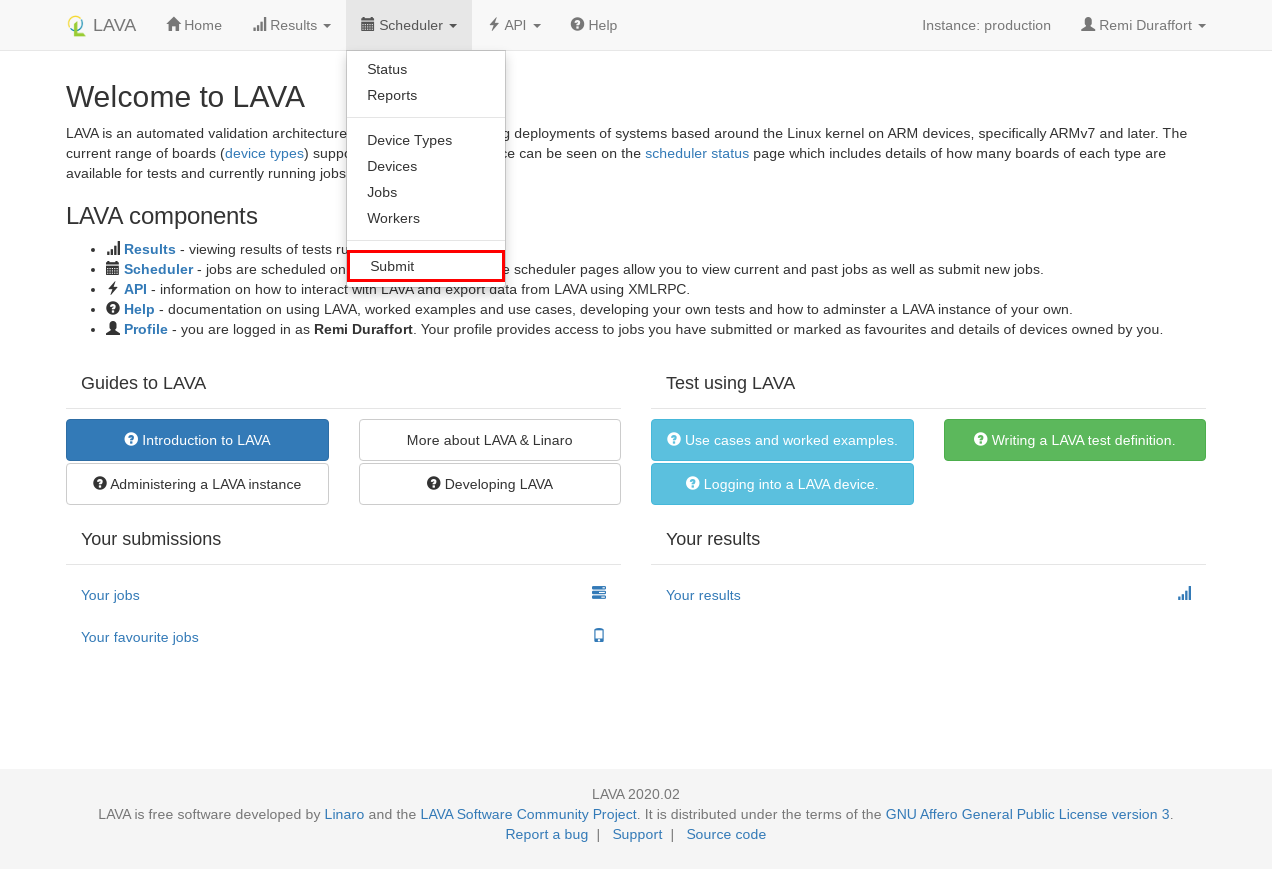
In order to submit from the web interface, you should first login and then go to
`Scheduler > Submit`.
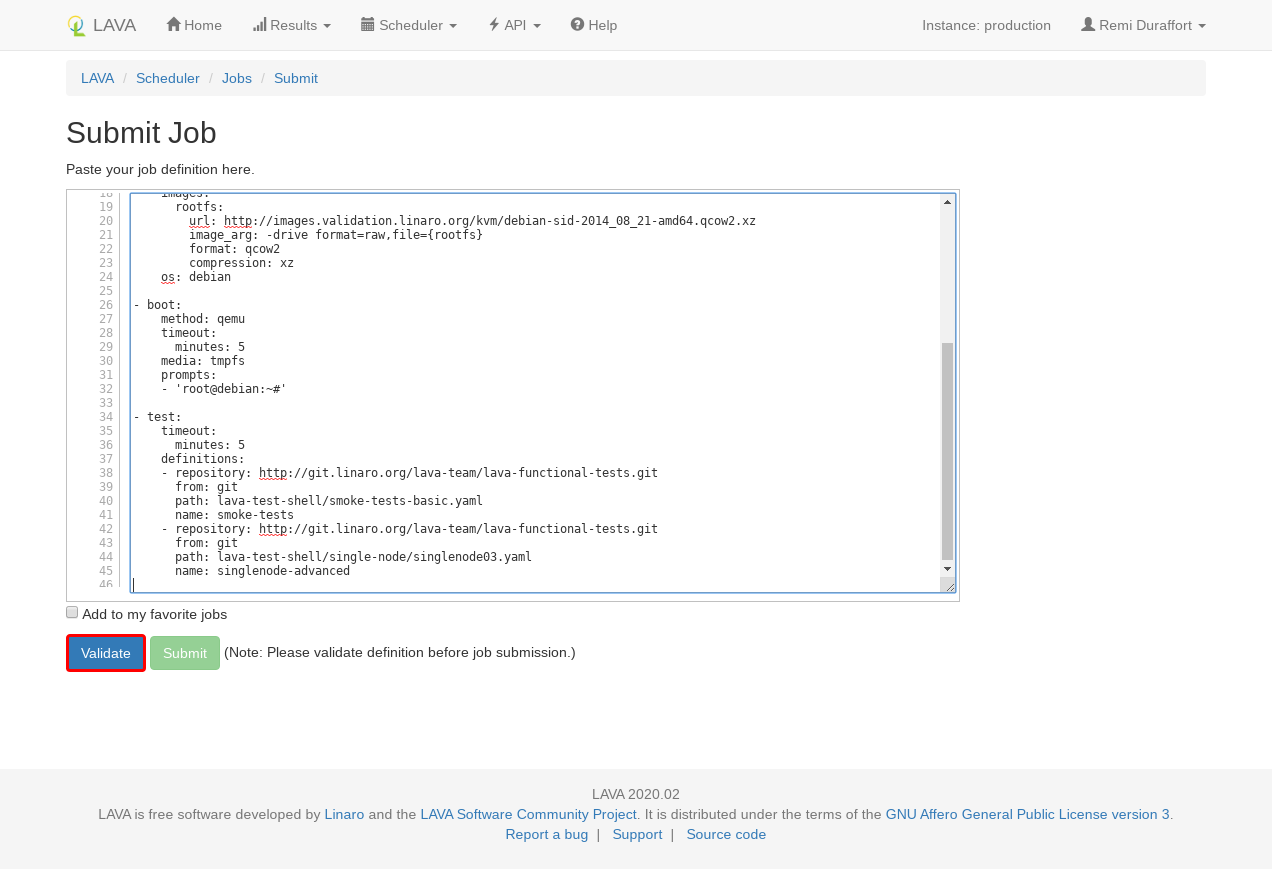
In the submit page, copy and paste the job definition and click on `Validate`.
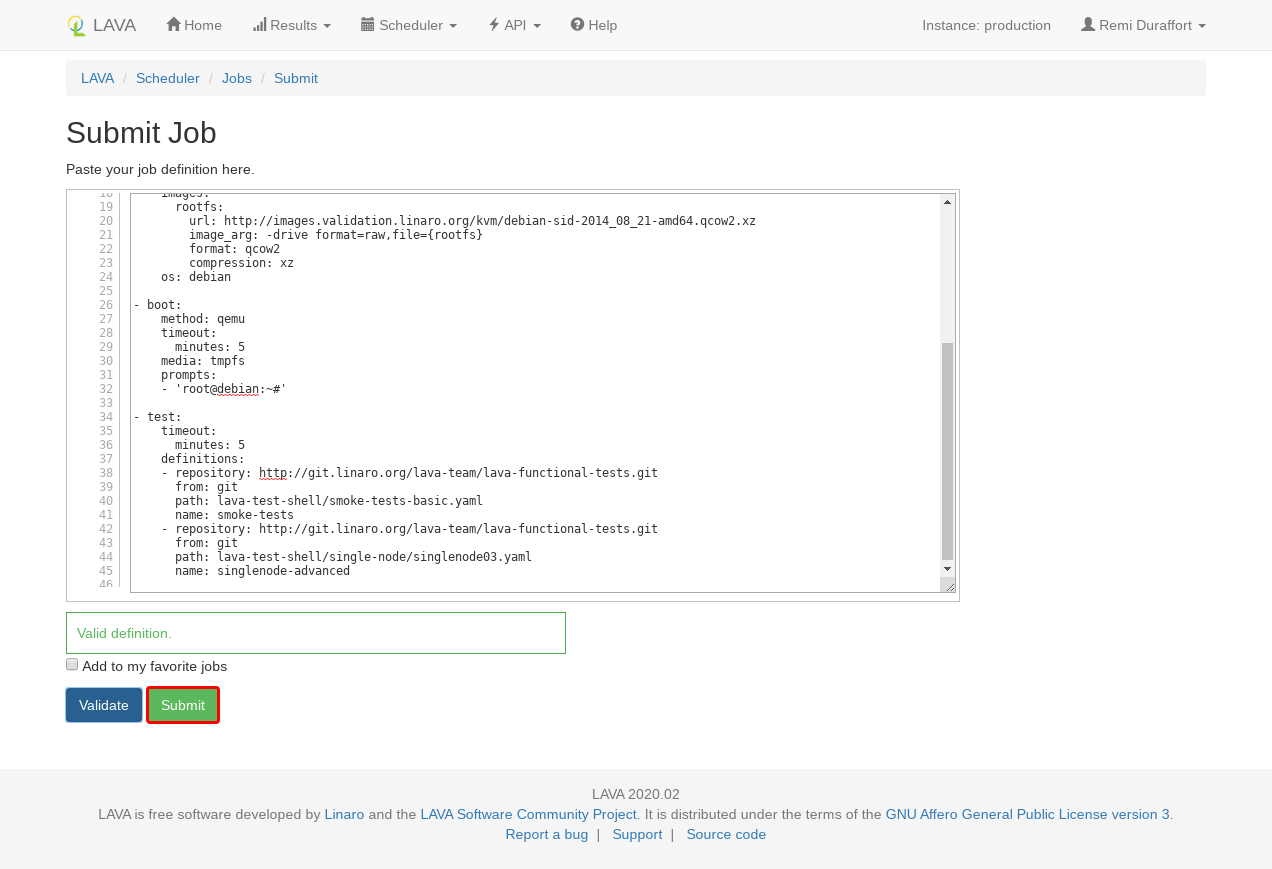
The server will validate the job definition and return any errors or warning found.
If the job is valid, the `Submit` button will become active. Clicking on it
will actually submit the job.
## lavacli
In order to submit using [lavacli][lavacli], start by installing and configure
lavacli with the [lavacli tutorial](./lavacli.md).
Submit the job with:
```shell
lavacli -i <identity> jobs submit qemu.yaml
```
lavacli will submit and print the job identifier that you can use to inspect
the current job.
```shell
lavacli -i <identity> jobs show <id>
lavacli -i <identity> jobs logs <id>
lavacli -i <identity> jobs wait <id>
```
--8<-- "refs.txt"
|
