1
2
3
4
5
6
7
8
9
10
11
12
13
14
15
16
17
18
19
20
21
22
23
24
25
26
27
28
29
30
31
32
33
34
35
36
37
38
39
40
41
42
43
44
45
46
47
48
49
50
51
52
53
54
55
56
57
58
59
60
61
62
63
64
65
66
67
68
69
70
71
72
73
74
75
76
77
78
79
80
81
82
83
84
85
86
87
88
89
90
91
92
93
94
95
96
97
98
99
100
101
102
103
104
105
106
107
108
109
110
111
|
# Minder
<p align="center">
<a href="https://appcenter.elementary.io/com.github.phase1geo.minder"><img src="https://appcenter.elementary.io/badge.svg" alt="Get it on AppCenter" /></a>
</p>
## Overview
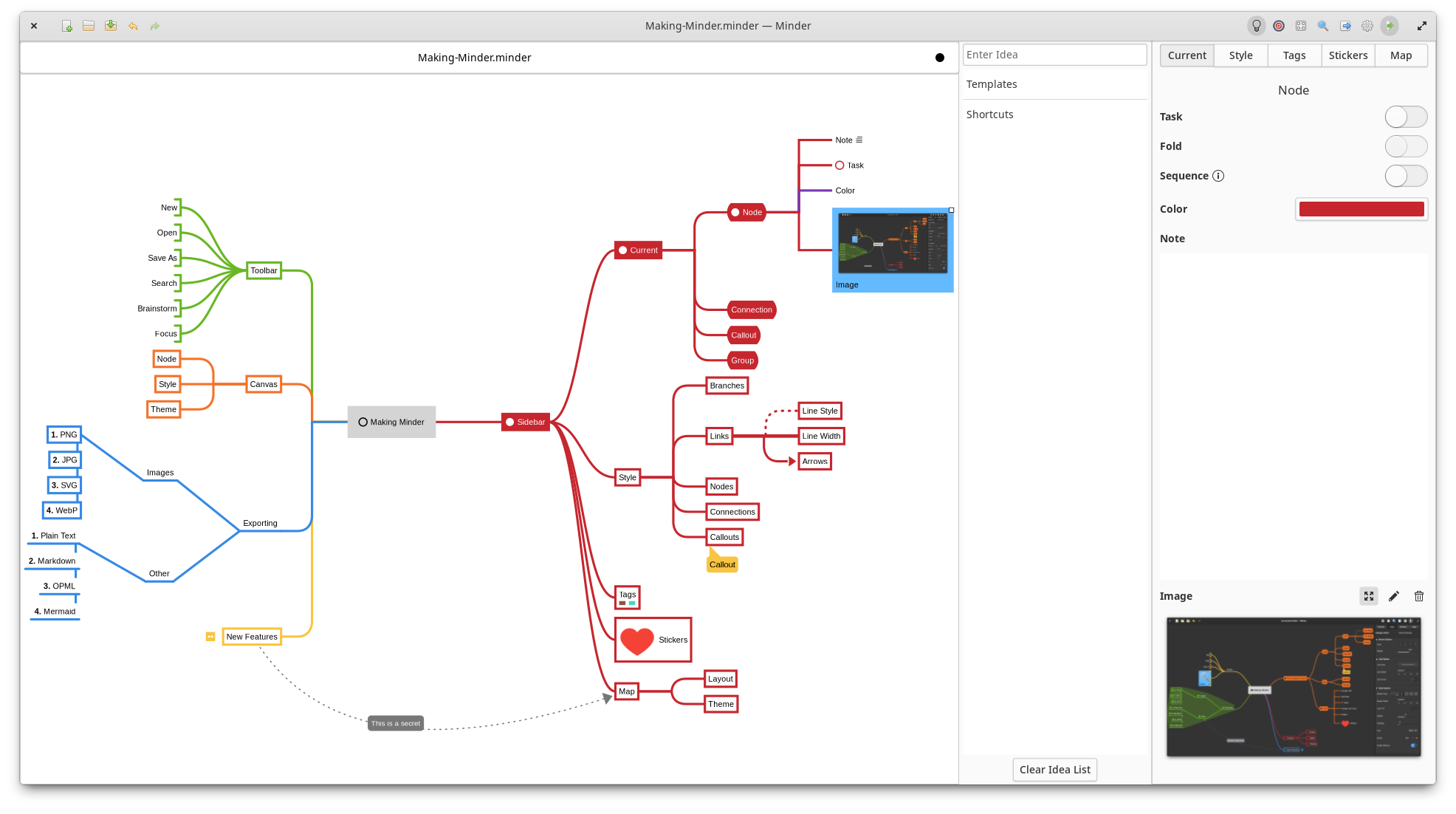
Use the power of mind-mapping to make your ideas come to life.
- Quickly create visual mind-maps using the keyboard and automatic layout.
- Choose from many tree layout choices.
- Support for Markdown formatting.
- Support for insertion of Unicode characters.
- Add notes, tasks, and images to your nodes.
- Add node-to-node connections with optional text and notes.
- Stylize nodes, callouts, links and connections to add more meaning and improve readability.
- Save and reuse style settings within and across open mindmaps.
- Add stickers, tags, callouts and node groups to call out and visibly organize information.
- Quick search of node and connection titles and notes, including filtering options.
- Zoom in or enable focus mode to focus on certain ideas or zoom out to see the bigger picture.
- Enter focus mode to better view and understand portions of the map.
- Quickly brainstorm ideas with the brainstorming interface and worry about where those ideas belong in the mind map later.
- Unlimited undo/redo of any change.
- Automatically and manual saving supported.
- Colorized node branches.
- Open multiple mindmaps with the use of tabs.
- Built-in and customizable theming.
- Gorgeous animations.
- Import from OPML, FreeMind, Freeplane, PlainText/Markdown (formatted), Mermaid (mindmap), Outliner, Portable Minder, filesystem and XMind formats.
- Export to CSV, FreeMind, Freeplane, JPEG, BMP, SVG, WebP, Markdown, Mermaid, Mermaid Mindmap, OPML, Org-Mode, Outliner, PDF, PNG, PlainText, filesystem, XMind and yEd formats.
- Printer support.
## Installation
You will need the following dependencies to build Minder:
* ninja-build
* python3-pip
* python3-setuptools
* meson
* valac
* debhelper
* libcairo2-dev
* libgranite-7-dev
* libgtk-4-dev
* libxml2-dev
* libgee-0.8-dev
* libarchive-dev
* libgtksourceview-5-dev
* libmarkdown2-dev
* libjson-glib-dev
* libwebp-dev
* webp-pixbuf-loader`
To install, run `sudo ./app install` and then run the application from your application launcher or from
the command-line with `./app run`. If you want to debug with gdb using this build, run `./app debug`.
Alternatively, you can install the elementary OS Flatpak using `./app elementary` or the Flathub Flatpak using `./app flathub`. Once the Flatpak has been built, it can be run using `./app run-flatpak`. To make this work, make sure that `flatpak` and `flatpak-builder` are installed on your system along with the required Sdk and Platform flatpaks.
## Flatpak
Minder is available as a Flatpak (recommended) via Flathub and elementary OS AppCenter.
### Flathub
You can install the Flathub flatpak from:
https://flathub.org/apps/com.github.phase1geo.minder
### elementary OS AppCenter
Search for "Minder" in AppCenter and install from there.
## Distribution packages
The following distributions have Minder available in their own packaging formats. These versions may not be the latest versions of Minder, so install these at your own discretion. The Flatpak versions of Minder are officially supported by the developers of Minder.
### Arch Linux
Minder is packaged in Arch Linux, install it with `pacman`:
`$ sudo pacman -S minder`
### Void Linux
Minder is packaged in Void Linux, install it with `xbps-install`:
`$ sudo xbps-install Minder`
### Fedora
For Fedora users, install the RPM package with:
`$ sudo dnf install minder`
### Debian/Ubuntu
Debian/Ubuntu package is also available:
`$ sudo apt install minder`
## Documentation
Minder documentation can be found [here](https://github.com/phase1geo/Minder/wiki/Table-of-Contents).
<p align="center">
<a href="https://appcenter.elementary.io/com.github.phase1geo.minder"><img src="https://appcenter.elementary.io/badge.svg" alt="Get it on AppCenter" /></a>
</p>
|
