1
2
3
4
5
6
7
8
9
10
11
12
13
14
15
16
17
18
19
20
21
22
23
24
25
26
27
28
29
30
31
32
33
34
35
36
37
38
39
40
41
42
43
44
45
46
47
48
49
50
51
52
53
54
55
56
57
58
59
60
61
62
63
64
65
66
67
68
69
70
71
72
73
74
75
76
77
78
79
80
81
82
83
84
85
86
87
88
89
90
91
92
93
94
95
96
97
98
99
100
101
102
103
104
105
106
107
108
109
110
111
112
113
114
115
116
117
118
119
120
121
122
123
124
125
126
127
128
129
130
131
132
133
134
135
136
137
138
139
140
141
142
143
144
145
146
147
148
149
150
151
152
153
154
155
156
157
158
159
160
161
162
163
164
165
166
167
168
169
170
171
172
173
174
175
176
177
178
179
180
181
182
183
184
185
186
187
188
189
190
191
192
193
194
195
196
197
198
199
200
201
202
203
204
205
206
207
208
209
210
211
212
213
214
215
216
217
218
219
220
221
222
223
224
225
226
227
228
229
230
231
232
233
234
235
236
237
238
239
240
241
242
243
244
245
246
247
248
249
250
251
252
253
254
255
256
257
258
259
260
261
262
263
264
265
266
267
268
269
270
271
272
273
274
275
276
277
278
279
280
281
282
283
284
285
286
287
288
289
290
291
292
293
294
295
296
297
298
299
300
301
302
303
304
305
306
307
308
309
310
311
312
313
314
315
316
317
318
319
320
321
322
323
324
325
326
327
328
329
330
331
332
333
334
335
336
337
338
339
340
341
342
343
344
345
346
347
348
349
350
351
352
353
354
355
356
357
358
359
360
361
362
363
364
365
366
367
368
369
370
371
372
373
374
375
376
377
378
379
380
381
382
383
384
385
386
387
388
389
390
391
392
393
394
395
396
397
398
399
400
401
402
403
404
405
406
407
408
409
410
411
412
413
414
415
416
417
418
419
420
421
422
423
424
425
426
427
428
429
430
431
432
433
434
435
436
437
438
439
440
441
442
443
444
445
446
447
448
449
450
451
452
453
454
455
456
457
458
459
460
461
462
463
464
465
466
467
468
469
470
471
472
473
474
475
476
477
478
479
480
481
482
483
484
485
486
487
488
489
490
491
492
493
494
495
496
497
498
499
500
501
502
503
504
505
506
507
508
509
510
511
512
513
514
515
516
517
518
519
520
521
522
523
524
525
526
527
528
529
530
531
532
533
534
535
536
537
538
539
540
|
genpoly_lt.py
===========


## Description
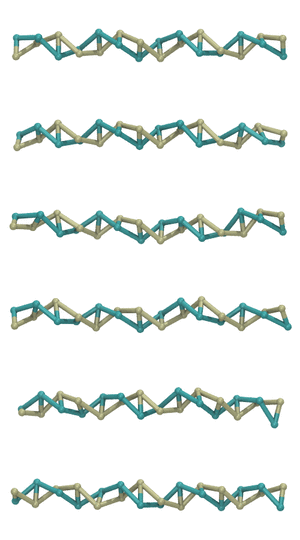
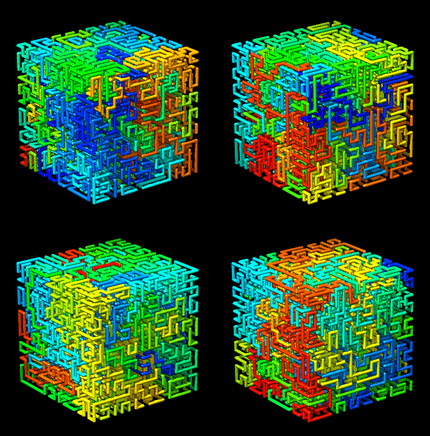
*genpoly_lt.py* is a program for preparing simulations containing polymers.
It is useful for wrapping polymers around an arbitrary curve.
(An example of its use is provided
[here](../examples/coarse_grained/DNA_models/dsDNA_only/2strands/3bp_2particles/confined_viral_DNA).)
*genpoly_lt.py* generates a moltemplate file (.LT file) containing a definition
of a polymer molecule containing monomers located at the positions specified
in a 3-column text file ("coords.raw" in the example below). Monomers will be
rotated so that they point along the polymer axis direction (see "-dir-indices")
with an optional helical twist added (see "-helix"). Users can
specify one or more bonds connecting each monomer to the next monomer
(see "-bond"). Similarly, 3-body and 4-body angular interactions between
atoms in different monomers can either be generated automatically
(using the standard moltemplate "Angle By Type" rules)
OR generated manually (using "-angle", "-dihedral", "-improper" arguments).
Note: This program is both a stand-alone executable program (that can be run
from the terminal) and a python module. The former is documented below.
*(The [python API is explained later](#Python-API).)*
## Usage:
```
genpoly_lt.py \
[-polymer-name pname] \
[-monomer-name mname] \
[-sequence sequence.txt] \
[-bond a1 a2] \
[-bond btype a1 a2] \
[-angle atype a1 a2 a3 i1 i2 i3] \
[-dihedral dtype a1 a2 a3 a4 i1 i2 i3 i4] \
[-improper itype a1 a2 a3 a4 i1 i2 i3 i4] \
[-inherits ForceFieldObject] \
[-header "import monomer.lt"] \
[-helix deltaphi] \
[-helix-angles helix_angles_file.txt] \
[-orientations orientations_file.txt] \
[-quaternions quaternions_file.txt] \
[-axis x,y,z] \
[-circular yes/no/connected] \
[-cuts cuts.txt] \
[-polymer-directions polarities.txt] \
[-dir-indices ia ib] \
[-padding paddingX,paddingY,paddingZ] \
[-in coords.raw] \
< coords.raw > polymer.lt
```
## Arguments [optional]
### -polymer-name name
Name of the moltemplate object that will be created.
(By default "Polymer")
### -monomer-name name
Name of the moltemplate object that will be replicated along
the length of the polymer(s). ("Monomer" by default).
This monomer should be defined elsewhere and
*ORIENTED SO THAT THE POLYMER AXIS LIES IN THE +X DIRECTION.*
You can use the "-header" argument to specify where
the monomer(s) is defined. *Note: If you are defining
heteropolymers or polymers with end-caps, then do not use the
"-monomer" argument. Use the "-sequence" argument instead.
You can include rotations or transformations to the monomer
subunit before it is moved into position. For example, it
is often useful to to use a modified version of the monomer
whose initial coordinates are compressed to avoid collisions
with other monomers. To do this, use something like
"Monomer.scale(0.5,0.7,0.7)" instead of "Monomer".
This would compress each monomer lengthwise by 0.5
and 0.7 laterally. (After minimization, each monomer should
expand back to its ordinary size and shape.)*
### -sequence sequence.txt
If you are building a heteropolymer, this argument allows
you to specify the sequence of monomers in the polymer.
You can also use this argument to add *end-caps* (ie custom
monomer types) to the ends of your polymer, and orient them
in the forward and backward directions. See example below.
The "sequence.txt" file contains the sequence of monomers
you want in your polymer(s). Each line of this file should
be the name of a moltemplate object for the monomer subunit
you want at that location. The number of lines in this file
should match the sum of all of the lengths of the polymers
(which equals the number of lines in the coordinate file).
Each type of monomer listed must be a moltemplate object
which contains atoms whose $atom (atom-ID) variables match
the a1,a2 atoms mentioned in the -bond, -angle, -dihedral,
and -improper arguments (if applicable). (In the butane
example below, it would be the carbon atom in the backbone.)
As before, you can include coordinate transforms in each
monomer's name. Here is an example "sequences.txt" file
for butane:
```
CH3
CH2
CH2
CH3.rot(180,0,0,1)
```
The "CH2" and "CH3" moltemplate objects are presumably defined
elsewhere and *ORIENTED WITH THE POLYMER AXIS ALONG THE +X
DIRECTION.* The ".rot(180,0,0,1)" makes sure the final CH3
monomer is oriented in the -X (opposite) direction.
(Additional movement and rotation commands will be added
to align each monomer with the direction of the curve.)
If you are using the "-cuts" argument to create multiple
polymers, then this file would resemble the file above, with
the sequence of multiple such polymers appended together.
It would include additional "CH3" and "CH3.rot(180,0,0,1)
end-cap monomers at places which are before and after the
integers specified using the "-cuts" argument.
### -bond btype a1 a2
Add a bond between successive monomers of type btype.
between atoms named a1 and a2 (all three arguments are strings and
omit the @bond: and $atom: prefixes in moltemplate variables)
(Note: The bond's type, btype, can be omitted. See below.)
Multiple bonds between successive monomers can be added by having
"-bond btype a1 a2" appear several times in the argument list.
For example, double-stranded DNA can be implemented as a polymer
with 2 bonds connecting separate monomers (if each "monomer
corresponds to a base pair). If you want to add bonds between
atoms in non-consecutive monomers, then you can instead use the
genpoly_modify_lt.py program to add modifications to the polymer
later. (That program supports the "-bond btype a1 a2 i1 i2"
argument allowing you to specify monomer indices i1, i2.)
### -bond a1 a2
Add a bond between successive monomers between atoms named a1, a2.
Here we omit the bond's type. Omitting the bond's type is allowed
if you are using a force field (like OPLSAA), which looks up bond
types according to rules defined in the force field.
### -angle atype a1 a2 a3 i1 i2 i3
Add a 3-body angle interaction between atoms a1 a2 a3 in monomers
i1 i2 and i3. (The atype a1, a2, a3 arguments are strings
containing moltemplate variable names. The standard moltemplate
prefixes "$angle:", "@angle:", and "$atom:" should be omitted.
The i1, i2, i3 arguments are integer indices indicating the monomer
that each atom belongs to.
* 0 corresponds to the current monomer
* 1 corresponds to the next monomer
* 2 corresponds to the following monomer, etc...
(For circular polymers, the indices will be wrapped appropriately.)
Multiple angles per monomer can be added by having:
"-angle aname atype a1 a2 a3 i1 i2 i3"
appear several times in the argument list with different parameters
*(NOTE: USUALLY THE "-angle" ARGUMENT IS NOT NEEDED IF YOU ARE USING
A FORCE FIELD LIKE OPLSAA WHICH GENERATES ANGLE INTERACTIONS.)*
### -dihedral dtype a1 a2 a3 a4 i1 i2 i3 i4
Add a 4-body dihedral interaction between atoms a1 a2 a3 a4 in
monomers i1 i2 and i3. (The dtype a1, a2, a3, a4, arguments
are strings containing moltemplate variable names. The moltemplate
prefixes "$dihedral:", "@dihedral:", and "$atom:" should be omitted
The i1, i2, i3, i4 arguments are integer indices indicating the
monomer that each atom belongs to. (See explanation above.)
Multiple dihedrals per monomer can be added by having:
"-dihedral dname dtype a1 a2 a3 a4 i1 i2 i3 i4"
appear several times in the argument list with different parameters
*(NOTE: USUALLY THE "-dihedral" ARGUMENT IS NOT NEEDED IF YOU ARE USING
A FORCE FIELD LIKE OPLSAA WHICH GENERATES DIHEDRAL INTERACTIONS.)*
### -improper itype a1 a2 a3 a4 i1 i2 i3 i4
Add a 4-body improper interaction between atoms a1 a2 a3 a4 in
monomers i1 i2 and i3. (The itype a1, a2, a3, a4, arguments
are strings containing moltemplate variable names. The moltemplate
prefixes "$improper:", "@improper:", and "$atom:" should be omitted
The i1, i2, i3, i4 arguments are integer indices indicating the
that each atom belongs to. (See explanation above.)
Multiple impropers per monomer can be added by having:
"-improper iname itype a1 a2 a3 a4 i1 i2 i3 i4"
appear several times in the argument list with different parameters
*(NOTE: USUALLY THE "-improper" ARGUMENT IS NOT NEEDED IF YOU ARE USING
A FORCE FIELD LIKE OPLSAA WHICH GENERATES IMPROPER INTERACTIONS,
...OR IF YOUR POLYMER DOES NOT CONTAIN BACKBONE IMPROPERS.)*
### -inherits FORCE_FIELD
This allows you to add "inherits FORCE_FIELD" when
defining the polymer object(s). (It simply adds the text
"inherits FORCE_FIELD" after the polymer name.) In this
example, "FORCE_FIELD" is the name of a moltemplate object
which defines any rules for creating angles, dihedrals,
impropers which you want to be generated automatically.
This FORCE_FIELD object can be defined elsewhere (such as in
a separate file and imported using the "-header" argument).
### -header 'some text'
This is a convenient way to insert a line of text at the
beginning of the file that will be created by genpoly_lt.py.
You can put any text at the beginning of the file, but
typically these are "import" statements. For example:
```
-header 'import "force_field.lt" # (<--defines FORCE_FIELD)'
```
or
```
-header 'import "monomer.lt" # (<--defines Monomer)'
```
The imported .LT files typically contain definitions of
monomers or force field parameters that the polymer needs.
(They must appear at the beginning of the .LT file, before
the polymer is defined or moltemplate will complain later.)
As shown in the example, you can insert multiple lines of
text at the beginning by using multiple -header arguments.
### -cuts cut_locations.txt
Cut the polymer in several places along its length. This is
useful if your goal is to create many polymers of different
lengths instead of one long polymer. This will simply
cut the polymer N times along its length. The file
"cut_locations.txt" is a text file containing a list of
positive integers (one per line) indicating where you would
like the polymer to be cut. For each integer, i, which
appears in this file, a cut is made between monomers
i-1 and i (Indexing begins at 0, so a value of 1
corresponds to a cut between the first and second monomers.)
A separate molecule object will be created for each polymer,
and an integer suffix will be added to each name, to
distinguish them from each other. (Each of these
polymers will be part of a larger object defined by this
program. Instantiating that object will create all of the
individual polymers.)
**NOTE** To put *end-caps* at the ends of each polymer
(ie. to change the monomer type at the ends of each polymer),
you *must* use the "-sequence" argument. You must supply a
text file with the monomers you want to put at the beginning
and ending of each polymer listed at the appropriate place
in this file. (You also have the option to apply different
rotations to the monomers at either end of each polymer
to orient them in the forward and backward directions.)
See the description of the *-sequence* argument for details.
### -axis x,y,z direction of the polymer axis in the original monomer object.
These three numbers (separated by commas with no spaces)
define the direction that the monomer subunit is pointing in.
By default, the three numbers are 1 0 0 (ie, the X axis)
### -helix deltaphi
Optionally, rotate each monomer around it's axis by
angle deltaphi (in degrees) beforehand
### -helix-angles helix_angles_file.txt
Optionally, rotate each monomer around
it's axis by specifying a list of angles contained in a file
(eg "helix_angles_file.txt"). This file contains one number per
line (one line per monomer). Each number represents the
angle of that monomer relative to the previous monomer around
that axis.
### -circular keyword
Specify whether the polymer is circular. If so, then
you must use "-circular yes" or "-circle connected".
"keyword" must be one of these choices:
| | |
|-------------|------------------------------------------------------------|
|"no" | The polymer is a linear chain with the two ends |
| | not connected. (default) |
| "yes" | The polymer is a circular loop with the two ends |
| | connected (and the direction of the last monomer |
| | points toward the first monomer). |
| "connected" | Connect the two ends together with bonds (and angles, |
| | and dihedrals, if applicable) to make a closed loop. |
| | But do not adjust the orientation of the first and |
| | last monomers so that they point towards eachother. |
| | (Use this if you plan to simulate an "infinitely" |
| | long polymer using periodic boundary conditions, |
| | with the two ends are connected on opposite sides.) |
### -padding paddingX,paddingY,paddingZ
This will cause the program to attempt to estimate the size
of the smallest rectangular box which encloses all of the
coordinates in the coordinate file. The user must supply 3
comma-separated numbers (no spaces) which indicate how much
extra room is needed in the ±x, ±y, ±z directions.
### -polymer-directions polarities.txt
Change the order that coordinates are read from the file.
This is specified once per polymer. You must supply a file
containing one line per polymer. (Unless you used the -cuts
argument this file will have only line.) Each line must
contain either "1" or "-1". A value of "1" indicates that
you want to read the coordinates for that polymer in the
order they appear in the coordinate file. (IE. the
normal behavior.) A value of -1 will cause the coordinates
for that polymer to be reversed after reading.
(In other words, read the coordinates from the
corresponding portion of the file in reverse order.
This feature is probably not useful to most users.)
### -dir-indices ia ib
The program attempts to orient each monomer in a direction that
the polymer is pointing. By default, the program will orient
monomer i in the direction of a line connecting the monomers before
and after it (monomers i-1 and i+1). The user can override this
using the -dir-indices command line argument. The ia and ib
arguments are integer offsets. To point monomer i in the direction
connecting it to the following monomer (i+1), use -dir-indices 0 1.
arguments are integer offsets. To point monomer i in the direction
connecting it to the previous monomer (i-1), use -dir-indices -1 0.
(Note: If the -polymer-directions argument is used, and the current
polymer has a direction of -1, the indices ia, ib will be flipped.)
For circular polymers, the indices will be wrapped appropriately.
### -orientations orientations_file.txt
Specify the orientation of each monomer in the polymer by providing
a 9-column text file containing a list of rotation matrices (R,
one for each monomer). Each 3x3 matrix describes the orientation
of that monomer relative to that monomer's original orientation
(*not* relative to to the previous monomer's orientation).
Each line in the file contains 9 numbers which are the entries of
a matrix:
```
R_11, R_12, R_13, R_21, R_22, R_23, R_31, R_32, R_33
```
This matrix applies the following coordinate transformation:
```
/x'\ / R_11 R_12 R_13 \ /x\
|y'| = | R_21 R_22 R_23 | |y|
\z'/ \ R_31 R_32 R_33 / \z/
```
(This can be any linear transformation, not just a rotation.)
Note: These transformations are applied *after*:
1) ...coordinate transformations included in the monomer's name
specified in the "-monomer-name" or "-sequence" arguments,
for example: "EthyleneGlycol.move(0.2,-0.7,0).rot(180,1,0,0)"
2) ...rotations around the axis specified by the "-helix" or
"-helix-angles" and "-axis" arguments (if applicable).
(Consequently this argument can be supplied together with
the "-helix", "-helix-angles", and "-axis" arguments.)
### -quaternions quaternions_file.txt
Specify the orientation of each monomer in the polymer by providing
a 4-column text file containing a list of quaternions (one for
each monomer). Each quaternion describes the orientation of
that monomer relative to that monomer's original orientation
(*not* relative to to the previous monomer's orientation).
Each quaternion has 4 numbers. The first number is cos(θ/2)
(where θ is the rotation angle). The remaining 3 numbers form
a vector (of length sin(θ/2)), pointing along the axis of
rotation.
Note: These rotations are applied *after*:
1) ...coordinate transformations included in the monomer's name
specified in the "-monomer-name" or "-sequence" arguments,
for example: "EthyleneGlycol.move(0.2,-0.7,0).rot(180,1,0,0)"
2) ...rotations around the axis specified by the "-helix" or
"-helix-angles" and "-axis" arguments (if applicable).
(Consequently this argument can be supplied together with
the "-helix", "-helix-angles", and "-axis" arguments.)
### -in coords.raw
The "-in" argument allows you to specify the name of a file with
coordinates, instead of reading the coordinates from the standard
input. (On rare occasions, such as while debugging, this can be
more convenient. Most people will have no use for this feature.)
## Examples:
1) Make a simple polymer, adding "@bond:Backbone" type bonds between
"$atom:c2" from each monomer with "$atom:c1" from the next monomer.
```
genpoly_lt.py -bond Backbone c2 c1 < crds.raw > poly.lt
```
2) Make a circular twisted double-stranded DNA model, treating each base-pair
as a monomer, and connecting each base-pair monomer with 2 bonds
with the next base-pair. This is done using 2 "-bond"
commands connecting the "O3p_a" atom with the "P_a" atom (in strand A),
and the "P_b" atom with the "O3p_b" atom (from the opposite strand, B).
```
genpoly_lt.py -circular yes -helix 34.2857 \
-header 'import "basepair.lt" #<--defines "BasePair"' \
-monomer-name "BasePair" \
-polymer-name "Plasmid" \
-bond Backbone O3p_a P_a \
-bond Backbone P_b O3p_b \
< dna_basepair_CM_coords.raw \
> chromosome.lt
```
If you want to control the sequence of the polymer, replace the
"-monomer-name" argument with "-sequence sequence.txt".
## Python API
It is possible to access the functionality of *genpoly_lt.py* from
within python. To do that, you can create arrays of coordinates and
python strings containing the names of the monomers in the polymer (see below).
Then use *GenPoly.WriteLTFile()* create a file in MOLTEMPLATE (.LT) format.
(If you prefer, the text in that file can be redirected to a python string
using StringIO. In this way it is not necessary to read or write files to
the file system.)
However, (as you can probably tell) making this possible within python
was an afterthought. Currently, the easy way to do this is to pass
the same command line arguments (described above) to *GenPoly.ParseArgs()*
*Then* invoke the *GenPoly.WriteLTFile()* function.
However you can also edit the data members of the GenPoly
object directly after it is created, instead of using the command-line
arguments. The example below demonstrates how to specify the
coordinates *(coords_multi)* and the names of the monomers
*(name_sequence_multi)* so that you don't have specify this information
in the argument list (or read any files from the file system).
Perhaps in the future, I will clean this up.)*
```python
class GenPoly
"""
Read coordinates from a file, and generate a list of \"new\" commands
in moltemplate format with the position of each monomer located
at these positions, oriented appropriately, with bonds (and angles,
dihedrals, etc...) connecting successive monomers together.
By default, only a single polymer is created.
However this class can create multiple polymers of different lengths.
The list of coordinates for each polymer are saved separately within
the "self.coords_multi" member.
"""
```
## Usage example inside python
```python
import math
import numpy as np
import moltemplate
N = 4
# Generate a zig-zag curve containing N points
x_orig = np.array([[i, 0.5*(i%2), 0.0] for i in range(0,N)])
# It's a good idea to generate a smoother version of this curve
# with 21 different positions along the curve (21=number of monomers).
x_new = moltemplate.interpolate_curve.ResampleCurve(x_orig, 21, 0.5)
# Optional:
# We want the spacing between monomers to be 0.332nm per monomer.
x_new *= 0.332 / ((math.sqrt(1+0.5**2)*len(x_orig)) / (len(x_new)-1))
# Now use genpoly_lt.GenPoly to generate an LT file describing
# a coarse-grained DNA molecule placed at all of these locations (x_new).
# (Note: Since there is only one polymer, the "coords_multi"
# and "name_sequence_multi" arguments contain only one list each.
# More generally they could contain multiple lists, one for each
# polymer in the system. Don't worry about this detail.)
gp = moltemplate.genpoly_lt.GenPoly()
gp.coords_multi = [x_new]
# Now specify the identity of each monomer in the polymer
# (In this case each "monomer" is a DNA base-pair, with names like "AT", "GC".)
gp.name_sequence_multi =[['AT', 'CG', 'GC', 'TA', 'AT', 'CG', 'GC', 'TA',
'AT', 'CG', 'GC', 'TA', 'AT', 'CG', 'GC', 'TA',
'AT', 'CG', 'GC', 'TA', 'AT']]
# The remaining settings are parsed from an argument list
gp.ParseArgs(['-helix', '34.2857',
'-bond', 'Backbone', 'f', 'f',
'-bond', 'Backbone', 'r', 'r',
'-polymer-name', 'DNA_snippet',
'-inherits', 'OXDNA2',
'-header', 'import oxdna2.lt',
'-circular', 'no'])
# Generate an .LT file and write it to the terminal (sys.stdout)
import sys
gp.WriteLTFile(sys.stdout)
```
|
