1
2
3
4
5
6
7
8
9
10
11
12
13
14
15
16
17
18
19
20
21
22
23
24
25
26
27
28
29
30
31
32
33
34
35
36
37
38
39
40
41
42
43
44
45
46
47
48
49
50
51
52
53
54
55
56
57
58
59
60
61
62
63
64
65
66
67
68
69
70
71
72
73
74
75
76
77
78
79
80
81
82
83
84
85
86
87
88
89
|
Copyright (C) 2013-2018 Christian Thomas Jacobs.
This file is part of PyQSO.
PyQSO is free software: you can redistribute it and/or modify
it under the terms of the GNU General Public License as published by
the Free Software Foundation, either version 3 of the License, or
(at your option) any later version.
PyQSO is distributed in the hope that it will be useful,
but WITHOUT ANY WARRANTY; without even the implied warranty of
MERCHANTABILITY or FITNESS FOR A PARTICULAR PURPOSE. See the
GNU General Public License for more details.
You should have received a copy of the GNU General Public License
along with PyQSO. If not, see <http://www.gnu.org/licenses/>.
# PyQSO
PyQSO is a contact logging tool for amateur radio operators.
[](https://travis-ci.org/ctjacobs/pyqso)
[](https://readthedocs.org/projects/pyqso/?badge=latest)
## Dependencies
As the name suggests, PyQSO is written primarily in the [Python](https://www.python.org/) programming language (version 3.x). The graphical user interface has been developed using the [GTK+ library](https://www.gtk.org/) through the [PyGObject bindings](https://pygobject.readthedocs.io). Therefore, in order to run PyQSO, the Python interpreter must be present on your system along with support for GTK+. On many Linux-based systems this can be accomplished by installing the following Debian packages:
* python3
* gir1.2-gtk-3.0
* python3-gi-cairo
Several extra packages are necessary to enable the full functionality of PyQSO. Many of these (specified in the `requirements.txt` file) can be readily installed system-wide using the Python package manager by issuing the following command in the terminal:
sudo pip3 install -U -r requirements.txt
but the complete list is given below:
* python3-matplotlib (version 1.3.0 or later)
* python3-numpy
* libxcb-render0-dev
* [cartopy](http://scitools.org.uk/cartopy/), for drawing the world map. This package in turn depends on python3-scipy, python3-cairocffi, cython, libproj-dev (version 4.9.0 or later), and libgeos-dev (version 3.3.3 or later).
* [geocoder](https://pypi.python.org/pypi/geocoder), for QTH lookups.
* python3-sphinx, for building the documentation.
* python3-hamlib, for Hamlib support.
### Hamlib support
There currently does not exist a Python 3-compatible Debian package for [Hamlib](http://www.hamlib.org). This library must be built manually to enable Hamlib support. As per the instructions on the [Hamlib mailing list](https://sourceforge.net/p/hamlib/mailman/message/35692744/), run the following commands in the Hamlib root directory (you may need to run `sudo apt-get install build-essential autoconf automake libtool` beforehand):
export PYTHON=/usr/bin/python3
autoreconf --install
./configure --with-python-binding
make
sudo make install
You will also need to append the Hamlib `bindings` and `bindings/.libs` directories to the `PYTHONPATH`:
export PYTHONPATH=$PYTHONPATH:/path/to/hamlib/bindings:/path/to/hamlib/bindings/.libs
## Installing and running
Assuming that the current working directory is PyQSO's base directory (the directory that the `Makefile` is in), PyQSO can be run without installation by issuing the following command in the terminal:
python3 bin/pyqso
If the Python package manager `pip3` is available on your system then PyQSO can be installed system-wide using:
sudo make install
Once installed, the following command will run PyQSO:
pyqso
## Documentation
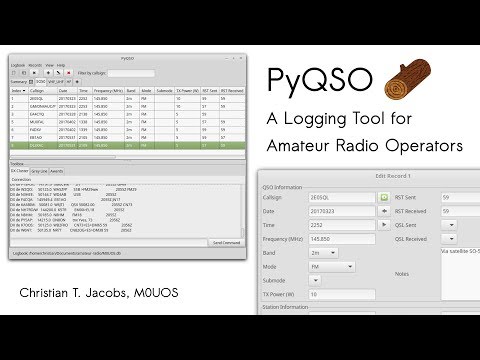
Guidance on how to use PyQSO is available on [Read the Docs](http://pyqso.readthedocs.io/) and in the screencast below.
[](https://www.youtube.com/watch?v=sVdZl9KnDsk)
The documentation can also be built locally with the following command:
make docs
which will produce an HTML version of the documentation in `docs/build/html` that can be opened in a web browser.
## Contact
If you have any comments or questions about PyQSO please send them via email to Christian Jacobs, M0UOS, at <christian@christianjacobs.uk>.
|
