1
2
3
4
5
6
7
8
9
10
11
12
13
14
15
16
17
18
19
20
21
22
23
24
25
26
27
28
29
30
31
32
33
34
35
36
37
38
39
40
41
42
43
44
45
46
47
48
49
50
51
52
53
54
55
56
57
58
59
60
61
62
63
64
65
66
67
68
69
70
71
72
73
74
75
76
77
78
79
80
81
82
83
84
85
86
87
88
89
90
91
92
93
94
95
96
97
98
99
100
101
102
103
104
105
106
107
108
109
110
111
112
113
114
115
116
117
118
119
120
121
122
123
124
125
126
127
128
129
130
131
132
133
134
135
136
137
138
139
140
141
142
143
144
145
146
147
148
149
150
151
152
153
154
155
156
157
158
159
160
161
162
163
164
165
166
167
168
169
170
171
172
173
174
175
176
177
178
179
180
181
182
183
184
185
186
187
188
189
190
191
192
193
194
195
196
197
198
199
200
201
202
203
204
205
206
207
208
209
210
211
212
213
214
215
216
217
218
219
220
221
222
223
224
225
226
227
228
229
230
231
232
233
234
235
236
237
238
239
240
241
242
243
244
245
246
247
248
249
250
251
252
253
254
255
256
|
Metadata-Version: 2.1
Name: pytweening
Version: 1.2.0
Summary: A collection of tweening (aka easing) functions.
Home-page: https://github.com/asweigart/pytweening
Author: Al Sweigart
Author-email: al@inventwithpython.com
License: MIT
Keywords: 2D animation tween tweening easing
Platform: UNKNOWN
Classifier: Development Status :: 5 - Production/Stable
Classifier: Environment :: Win32 (MS Windows)
Classifier: Environment :: X11 Applications
Classifier: Environment :: MacOS X
Classifier: Intended Audience :: Developers
Classifier: Operating System :: OS Independent
Classifier: License :: OSI Approved :: MIT License
Classifier: Programming Language :: Python
Classifier: Programming Language :: Python :: 2
Classifier: Programming Language :: Python :: 2.7
Classifier: Programming Language :: Python :: 3
Classifier: Programming Language :: Python :: 3.4
Classifier: Programming Language :: Python :: 3.5
Classifier: Programming Language :: Python :: 3.6
Classifier: Programming Language :: Python :: 3.7
Classifier: Programming Language :: Python :: 3.8
Classifier: Programming Language :: Python :: 3.9
Classifier: Programming Language :: Python :: 3.10
Classifier: Programming Language :: Python :: 3.11
Classifier: Programming Language :: Python :: 3.12
Description-Content-Type: text/markdown
License-File: LICENSE.txt
License-File: AUTHORS.txt
PyTweening
==========
A collection of tweening (aka easing) functions implemented in Python. You can learn more about it in this blog post: https://inventwithpython.com/blog/2024/02/20/make-lively-movement-animation-with-pytweenings-tweening-functions/ and in the Nordic Game Jam talk by Martin Jonasson and Petri Purho at https://youtu.be/Fy0aCDmgnxg?si=8pgITaxjJSKFyBuB&t=159
Example Usage
=============
All tweening functions are passed an argument of a float from 0.0 (the beginning of the path) to 1.0 (the end of the path) of the tween:
>>> pytweening.linear(0.5)
0.5
>>> pytweening.linear(0.75)
0.75
>>> pytweening.linear(1.0)
1.0
>>> pytweening.easeInQuad(0.5)
0.25
>>> pytweening.easeInQuad(0.75)
0.5625
>>> pytweening.easeInQuad(1.0)
1.0
>>> pytweening.easeInOutSine(0.75)
0.8535533905932737
>>> pytweening.easeInOutSine(1.0)
1.0
The getLine() function also provides a Bresenham line algorithm implementation:
>>> pytweening.getLine(0, 0, 5, 10)
[(0, 0), (0, 1), (1, 2), (1, 3), (2, 4), (2, 5), (3, 6), (3, 7), (4, 8), (4, 9), (5, 10)]
The getLinePoint() function finds (interpolates) a point on the given line (even if it extends before or past the start or end points):
>>> getLinePoint(0, 0, 5, 10, 0.0)
(0.0, 0.0)
>>> getLinePoint(0, 0, 5, 10, 0.25)
(1.25, 2.5)
>>> getLinePoint(0, 0, 5, 10, 0.5)
(2.5, 5.0)
>>> getLinePoint(0, 0, 5, 10, 0.75)
(3.75, 7.5)
>>> getLinePoint(0, 0, 5, 10, 1.0)
(5.0, 10.0)
PyTweening also provides iterators to get the XY coordinates in a for loop between two points (though some floating-point rounding errors naturally occur):
>>> import pytweening
>>> for x, y in pytweening.iterLinear(0, 0, 100, 150, 0.1): print(x, y)
...
0.0 0.0
10.0 15.0
20.0 30.0
30.000000000000004 45.00000000000001
40.0 60.0
50.0 75.0
60.0 90.0
70.0 105.0
80.0 119.99999999999999
89.99999999999999 135.0
100.0 150.0
>>> for x, y in pytweening.iterEaseOutQuad(0, 0, 100, 150, 0.1): print(x, y)
...
0.0 0.0
19.0 28.5
36.00000000000001 54.00000000000001
51.0 76.5
64.00000000000001 96.00000000000001
75.0 112.5
84.0 126.0
90.99999999999999 136.5
96.00000000000001 144.0
99.0 148.5
100.0 150.0
Tweens
======
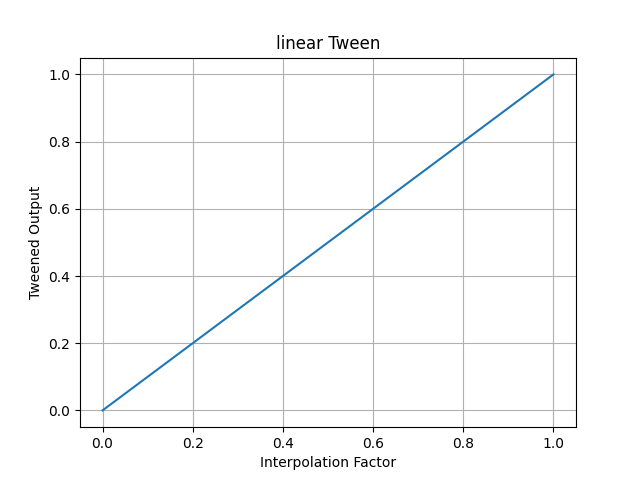
pytweening.linear()
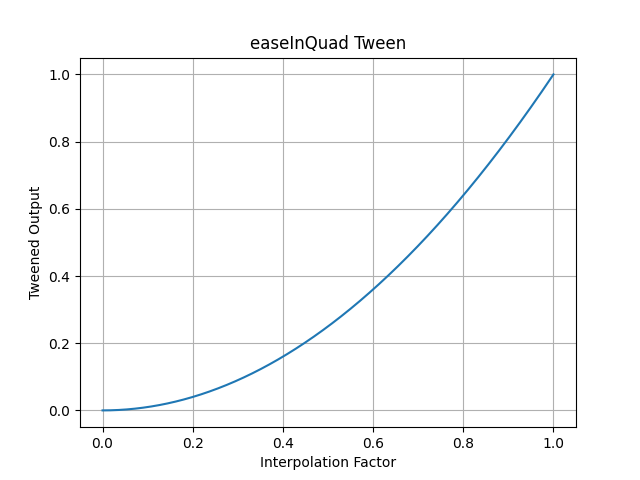
pytweening.easeInQuad()
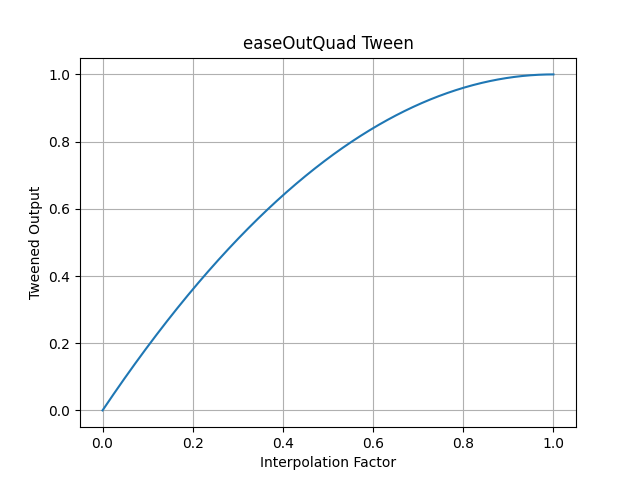
pytweening.easeOutQuad()
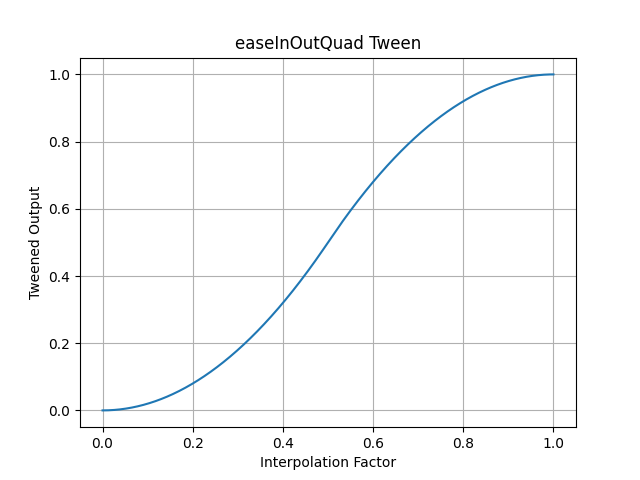
pytweening.easeInOutQuad()
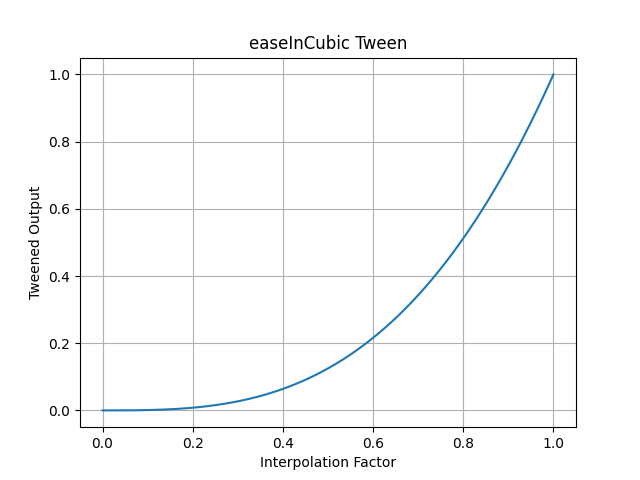
pytweening.easeInCubic()
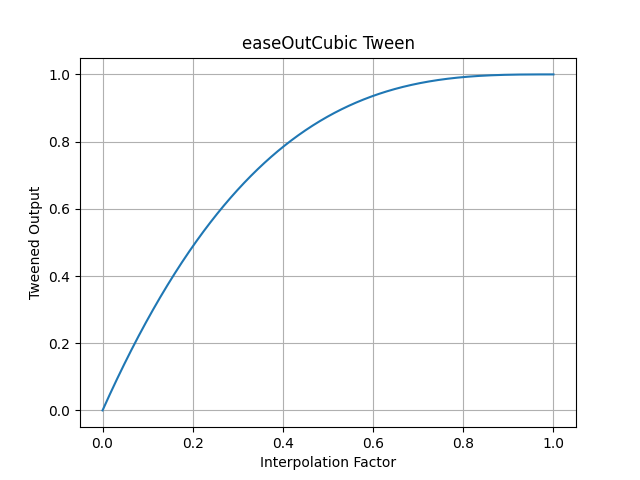
pytweening.easeOutCubic()
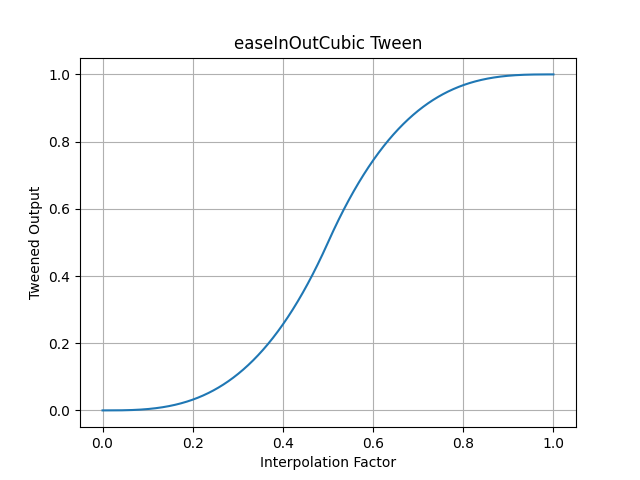
pytweening.easeInOutCubic()
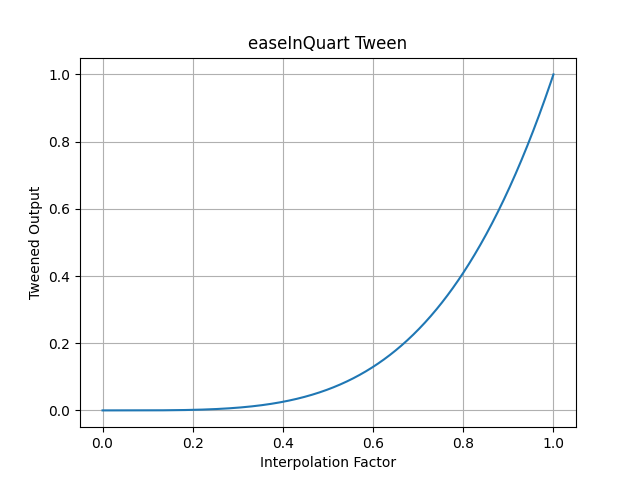
pytweening.easeInQuart()
pytweening.easeOutQuart()
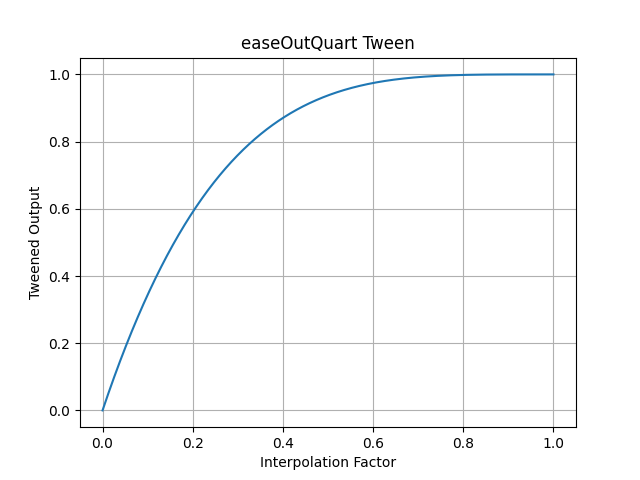
pytweening.easeInOutQuart()
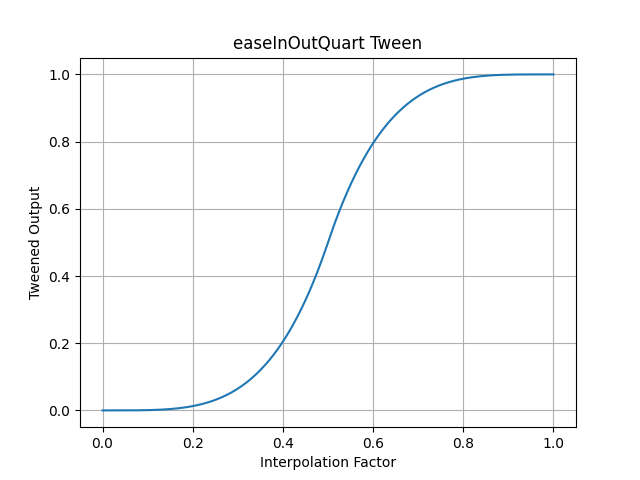
pytweening.easeInQuint()
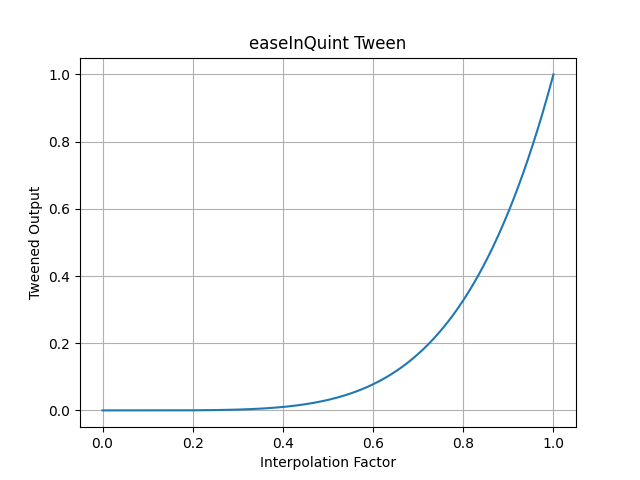
pytweening.easeOutQuint()
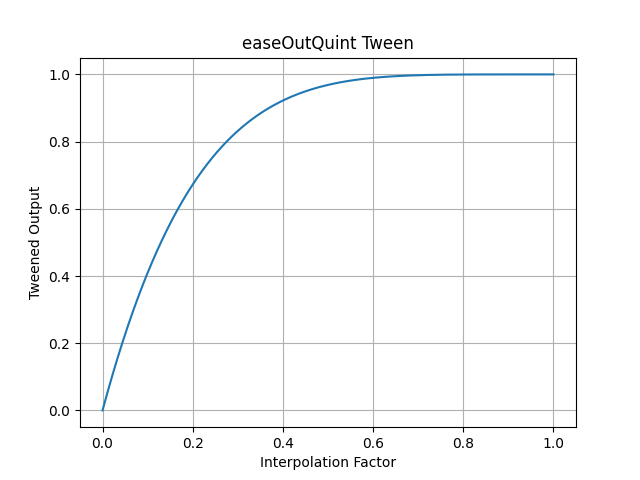
pytweening.easeInOutQuint()
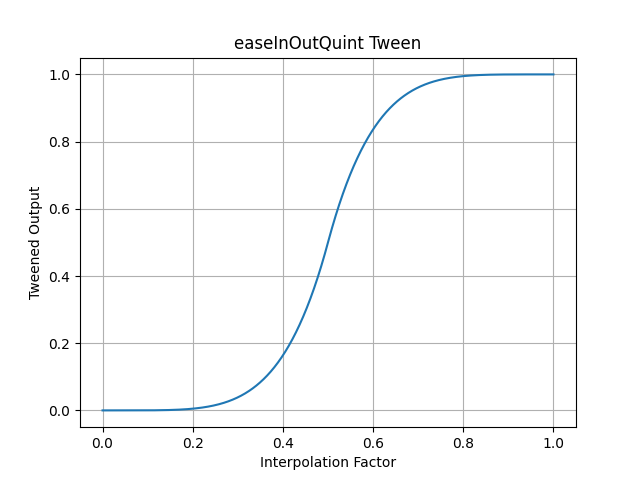
pytweening.easeInSine()
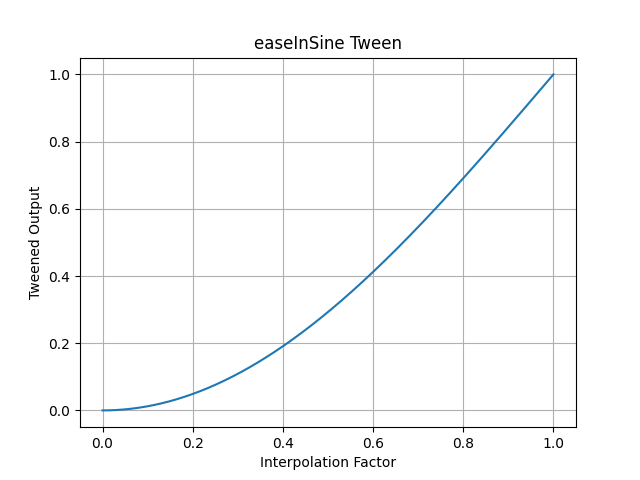
pytweening.easeOutSine()
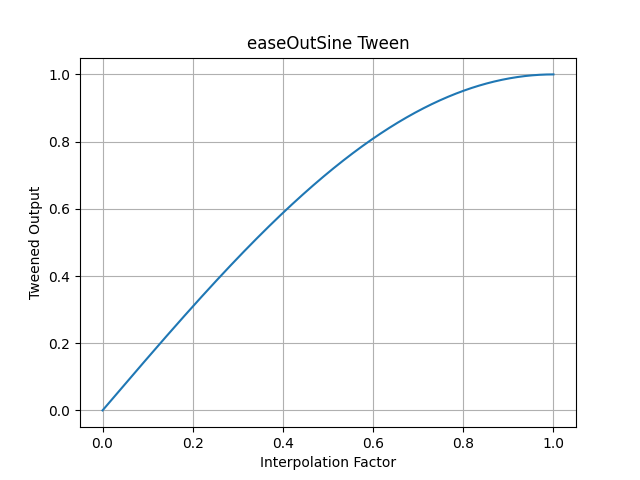
pytweening.easeInOutSine()
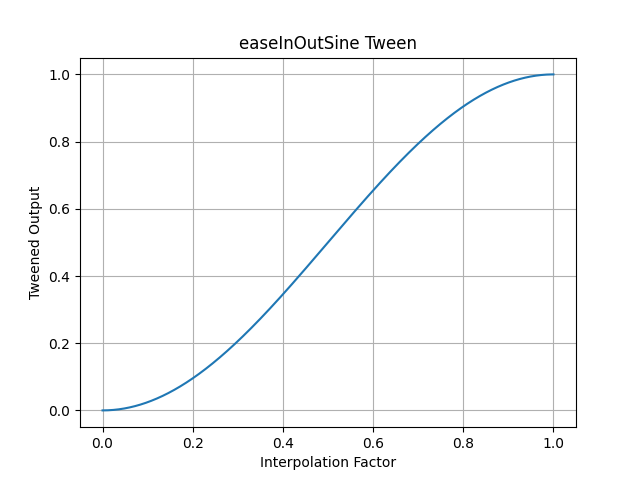
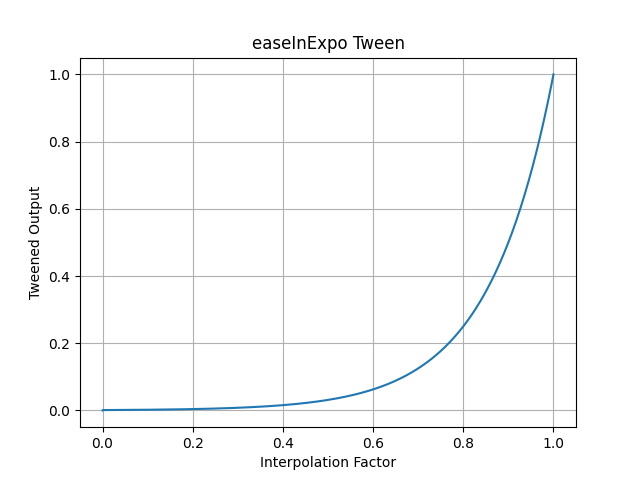
pytweening.easeInExpo()
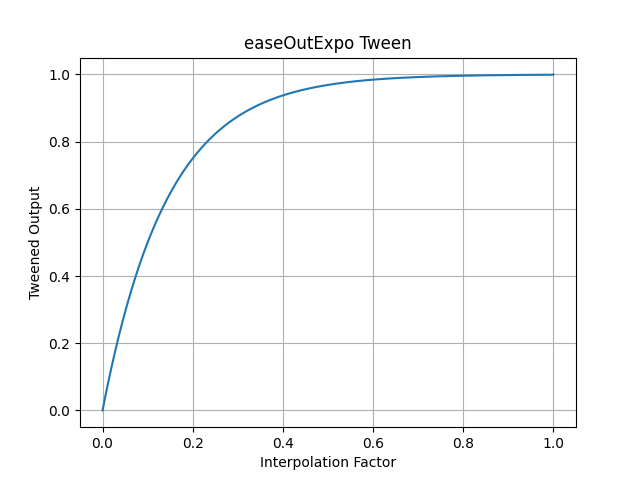
pytweening.easeOutExpo()
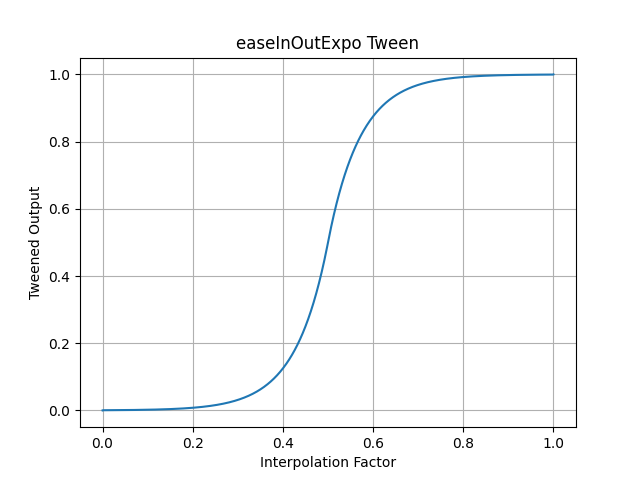
pytweening.easeInOutExpo()
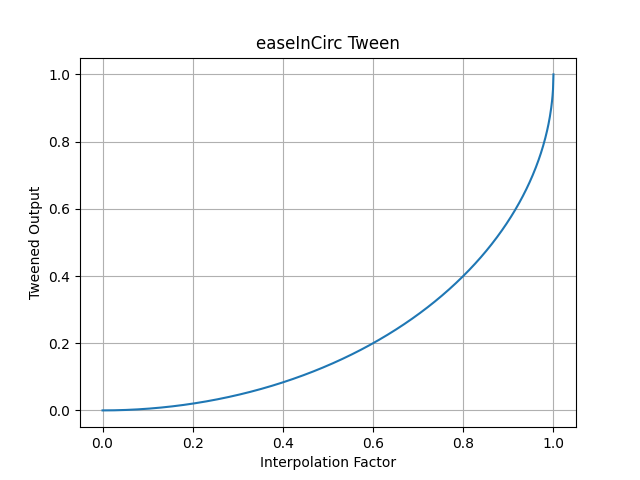
pytweening.easeInCirc()
pytweening.easeOutCirc()
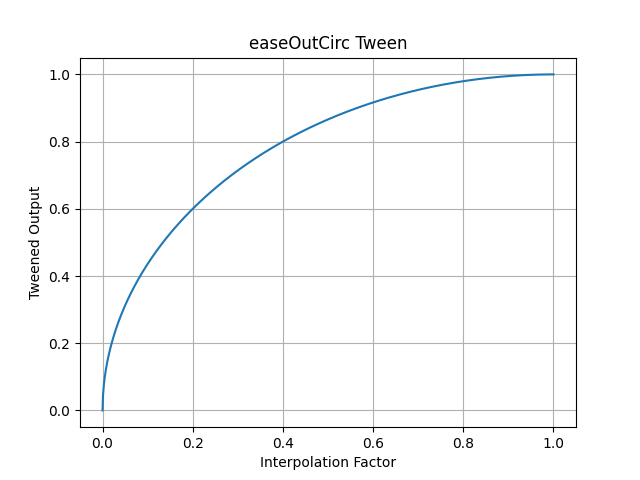
pytweening.easeInOutCirc()
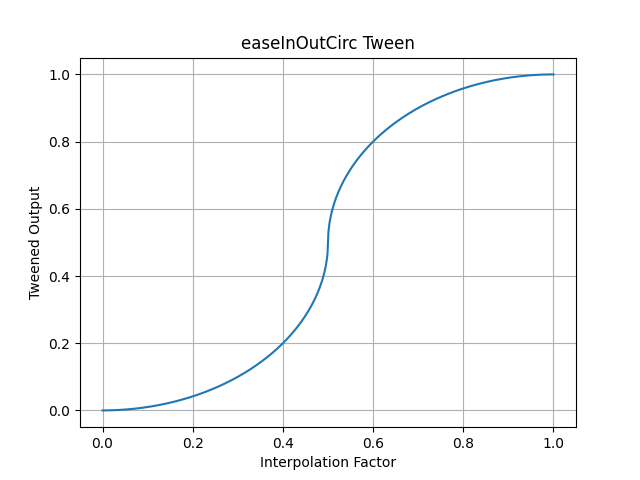
pytweening.easeInElastic()
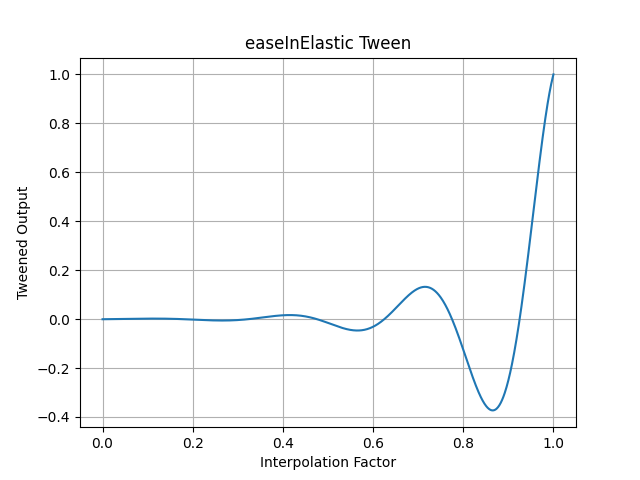
pytweening.easeOutElastic()
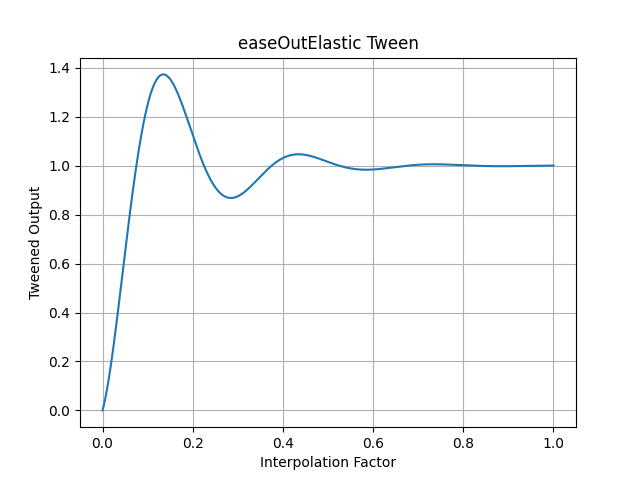
pytweening.easeInOutElastic()
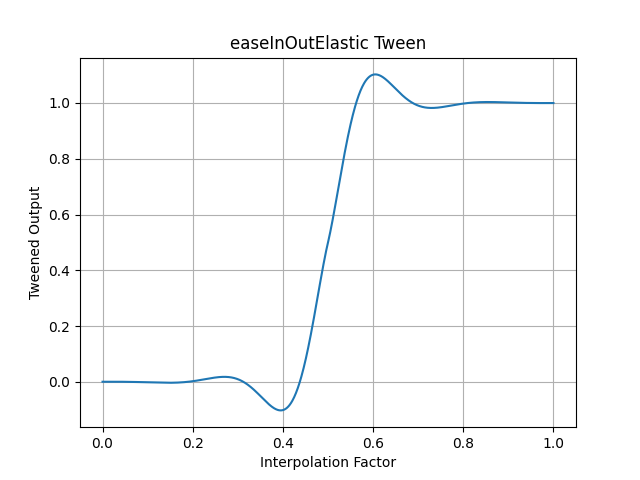
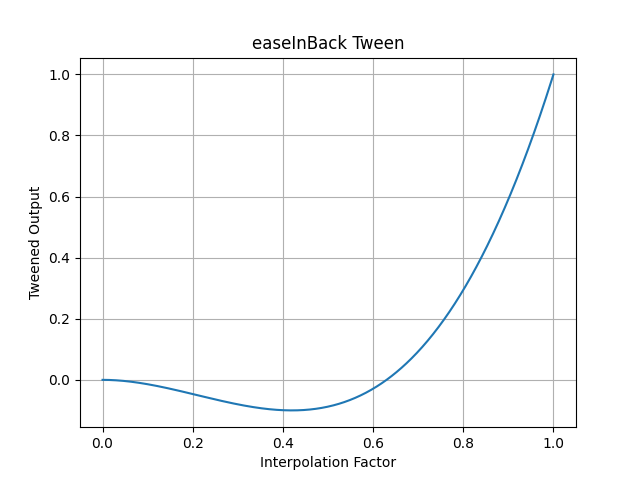
pytweening.easeInBack()
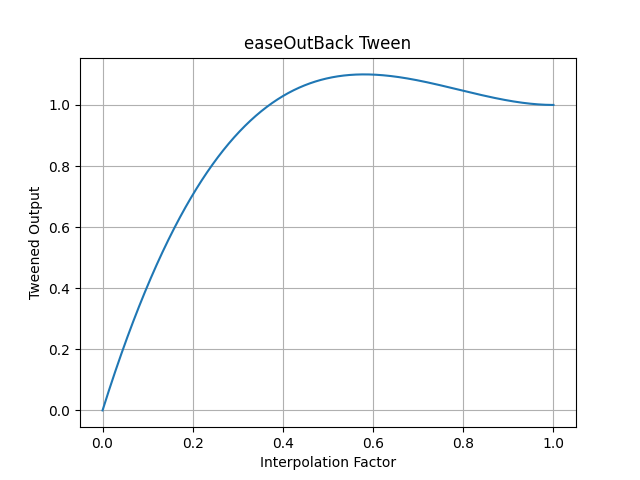
pytweening.easeOutBack()
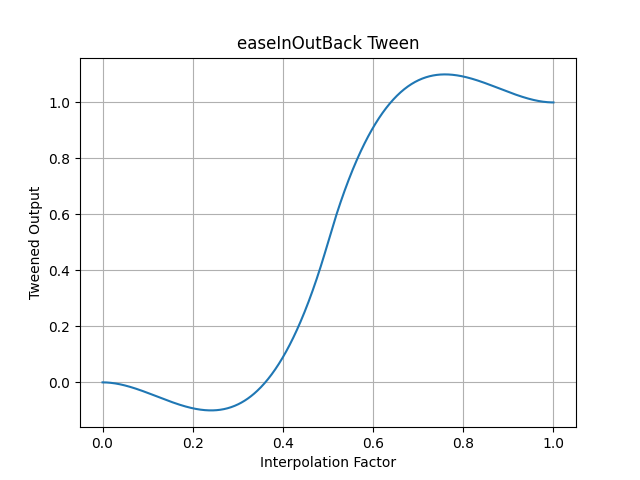
pytweening.easeInOutBack()
pytweening.easeInBounce()
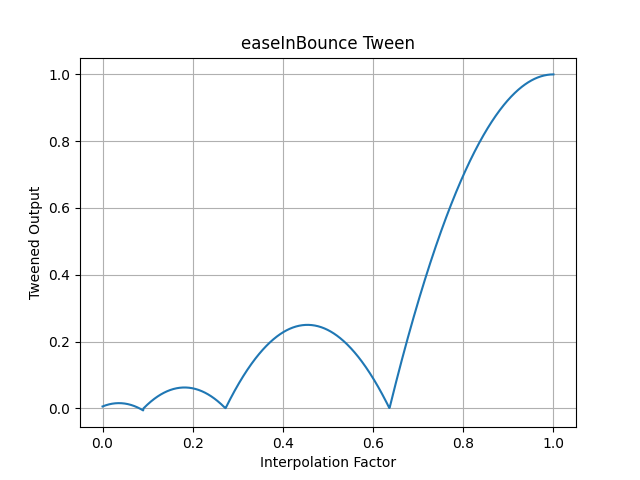
pytweening.easeOutBounce()
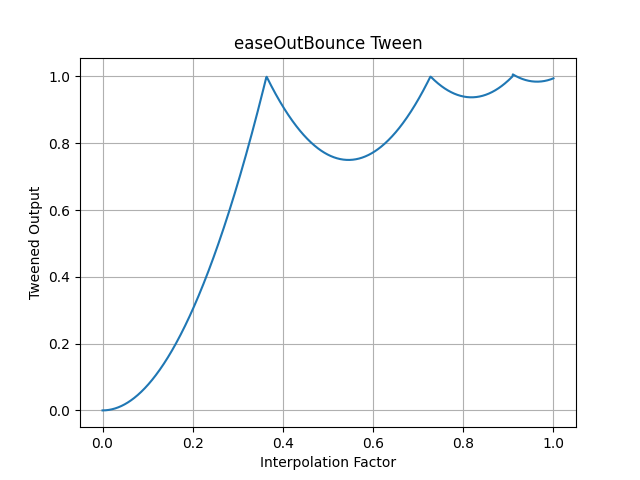
pytweening.easeInOutBounce()
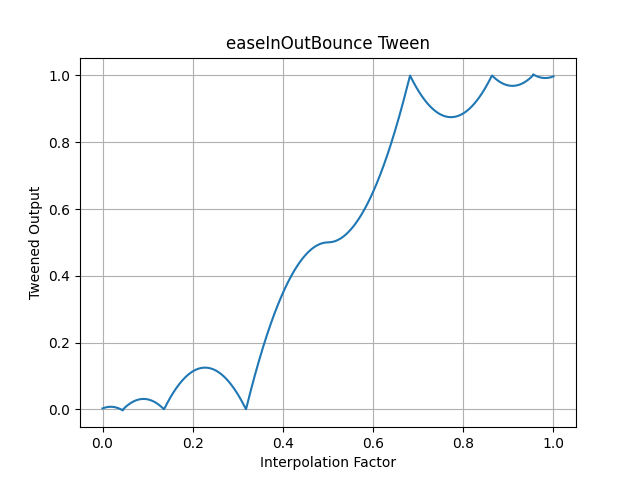
pytweening.easeInPoly() (default degree of 2)
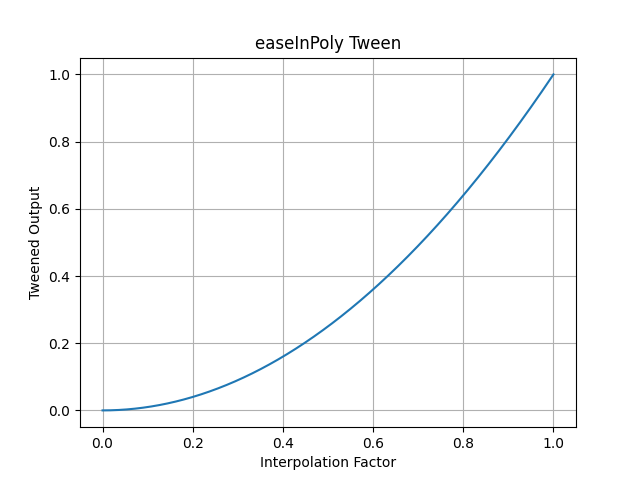
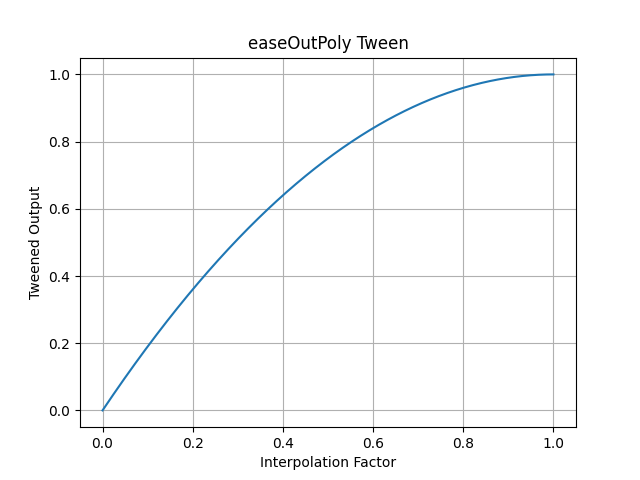
pytweening.easeOutPoly() (default degree of 2)
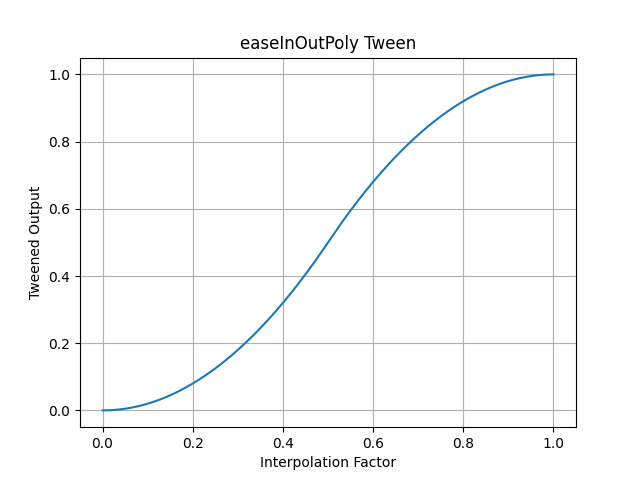
pytweening.easeInOutPoly() (default degree of 2)
Support
-------
If you find this project helpful and would like to support its development, [consider donating to its creator on Patreon](https://www.patreon.com/AlSweigart).
|
