1
2
3
4
5
6
7
8
9
10
11
12
13
14
15
16
17
18
19
20
21
22
23
24
25
26
27
28
29
30
31
32
33
34
35
36
37
38
39
40
41
42
43
44
45
46
47
48
49
50
51
52
53
54
55
56
57
58
59
60
61
62
63
64
65
66
67
68
69
70
71
72
73
74
75
76
77
78
79
80
81
82
83
84
85
86
87
88
89
90
91
92
93
94
95
96
97
98
99
100
101
102
103
104
105
106
107
108
109
110
111
112
113
114
115
116
117
118
119
120
121
122
123
124
125
126
127
128
129
130
131
132
133
134
135
136
137
138
139
140
141
142
143
144
145
146
147
148
149
150
151
152
153
154
155
156
157
158
159
160
161
162
163
164
165
166
167
168
169
170
171
172
173
174
175
176
177
178
179
180
181
182
183
184
185
186
187
188
189
190
191
192
193
194
195
196
197
198
199
200
201
202
203
204
205
206
207
208
209
210
211
212
213
214
215
216
217
218
219
220
221
222
223
224
225
226
227
228
229
230
231
232
233
234
235
236
237
238
239
240
241
242
243
244
245
246
247
248
249
250
251
252
253
254
255
256
257
258
259
260
261
262
263
264
265
266
267
268
269
270
271
272
273
274
275
276
277
278
279
280
281
282
283
284
285
286
287
288
289
290
291
292
293
294
295
296
297
298
299
300
301
302
303
304
305
306
307
308
309
310
311
312
313
314
315
316
317
318
319
320
321
322
323
324
325
326
|
<p align="center">
<a href="https://github.com/davatorium/rofi/issues"><img src="https://img.shields.io/github/issues/davatorium/rofi.svg"></a>
<a href="https://img.shields.io/github/forks/davatorium/rofi.svg"><img src="https://img.shields.io/github/forks/davatorium/rofi.svg"></a>
<a href="https://github.com/davatorium/rofi/stargazers"><img src="https://img.shields.io/github/stars/davatorium/rofi.svg"></a>
<a href="https://github.com/davatorium/rofi/releases"><img src="https://img.shields.io/github/downloads/davatorium/rofi/total.svg"></a>
<a href="https://repology.org/metapackage/rofi/versions"><img src="https://repology.org/badge/tiny-repos/rofi.svg"></a>
</p>
**Please match the documentation and scripts to the version of rofi used**
- [next version](https://github.com/davatorium/rofi)
- [2.0.0](https://github.com/davatorium/rofi/tree/2.0.0)
- [1.7.9](https://github.com/davatorium/rofi/tree/1.7.9)
- [1.7.8](https://github.com/davatorium/rofi/tree/1.7.8)
- [1.7.7](https://github.com/davatorium/rofi/tree/1.7.7)
- [1.7.6](https://github.com/davatorium/rofi/tree/1.7.6)
- [1.7.5](https://github.com/davatorium/rofi/tree/1.7.5)
- [1.7.4](https://github.com/davatorium/rofi/tree/1.7.4)
- [1.7.3](https://github.com/davatorium/rofi/tree/1.7.3)
- [1.7.2](https://github.com/davatorium/rofi/tree/1.7.2)
- [1.7.1](https://github.com/davatorium/rofi/tree/1.7.1)
- [1.7.0](https://github.com/davatorium/rofi/tree/1.7.0)
Also see the locally installed documentation (manpages).
<h1 align="center"> Rofi </h1>
<p align="center"><i>A window switcher, Application launcher and dmenu replacement</i>.</p>
<https://user-images.githubusercontent.com/84911063/139428874-fe182dd6-82c6-49b8-8da1-920ddda3d1ed.mp4>
**Rofi** started as a clone of simpleswitcher, written by [Sean
Pringle](http://github.com/seanpringle/simpleswitcher) - a popup window
switcher roughly based on
[superswitcher](http://code.google.com/p/superswitcher/). Simpleswitcher laid
the foundations, and therefore Sean Pringle deserves most of the credit for
this tool. **Rofi** (renamed, as it lost the *simple* property) has been
extended with extra features, like an application launcher and ssh-launcher,
and can act as a drop-in dmenu replacement, making it a very versatile tool.
Thanks to the great work of [lbonn](https://github.com/lbonn), who added
Wayland support in his fork and maintained it for years, **Rofi**
now officially supports Wayland (since 2025).
**Rofi**, like dmenu, will provide the user with a textual list of options
where one or more can be selected.
This can either be running an application, selecting a window, or options
provided by an external script.
### What is rofi not?
Rofi is not:
- A UI toolkit.
- A library to be used in other applications.
- An application that can support every possible use-case. It tries to be
generic enough to be usable by everybody.
- Specific functionality can be added using scripts or plugins, many exists.
- Just a dmenu replacement. The dmenu functionality is a nice 'extra' to
**rofi**, not its main purpose.
## Table of Contents
- [Features](#features)
- [Modes](#modes)
- [Manpages](#manpage)
- [Installation](#installation)
- [Quickstart](#quickstart)
- [Usage](#usage)
- [Configuration](#configuration)
- [Themes](#themes)
- [Screenshots](#screenshots)
- [Wiki](#wiki)
- [Discussion places](#discussion-places)
## Features
Its main features are:
- Fully configurable keyboard navigation
- Type to filter
- Tokenized: type any word in any order to filter
- Case insensitive (togglable) or SmartCase
- Support for fuzzy-, regex-, prefix-, and glob-matching
- UTF-8 enabled
- UTF-8-aware string collating
- International keyboard support (\`e -> è)
- RTL language support
- Cairo drawing and Pango font rendering
- Built-in modes:
- Window switcher mode
- EWMH compatible WM
- Work arounds for i3,bspwm
- Wayland based WMs that follow the wlr family
- Application launcher
- Desktop file application launcher
- SSH launcher mode
- File browser
- Combi mode, allowing several modes to be merged into one list
- History-based ordering — last 25 choices are ordered on top based on use
(optional)
- Levenshtein distance or fzf like sorting of matches (optional)
- Drop-in dmenu replacement
- Many added improvements
- Easily extensible using scripts and plugins
- Advanced Theming
## Modes
**Rofi** has several built-in modes implementing common use cases and can be
extended by scripts (either called from
**Rofi** or calling **Rofi**) or plugins.
Below is a list of the different modes:
- **run**: launch applications from $PATH, with option to launch in terminal.
- **drun**: launch applications based on desktop files. It tries to be
compliant to the XDG standard.
- **window**: Switch between windows on an EWMH compatible window manager.
- **ssh**: Connect to a remote host via ssh.
- **filebrowser**: A basic file-browser for opening files.
- **keys**: list internal keybindings.
- **script**: Write (limited) custom mode using simple scripts.
- **combi**: Combine multiple modes into one.
**Rofi** is known to work on Linux and BSD.
## Wayland support
### Build
Please follow the [build instructions](INSTALL.md) to build rofi.
Wayland support is enabled by default, along with X11/xcb.
rofi can also be built *without* X11/xcb or wayland, but atleast one backend
should be enabled:
meson build -Dxcb=disabled
meson build -Dwayland=disabled
### Usage
**Rofi** should automatically select the xcb or wayland backend depending on
the environment it is run on.
To force the use of the xcb backend (if enabled during build), the `-x11`
option can be used:
rofi -x11 ...
### Missing features in Wayland mode
Due to the different architecture and available APIs in Wayland mode, some original rofi features are difficult or impossible to replicate
- `-normal-window` flag. Though it is also considered as a toy/deprecated feature in Upstream rofi. Not impossible but would require some work.
- `-monitor -n` for fine-grained selection of monitor to display rofi on
- some window locations parameters work partially, `x-offset` and `y-offset` are only working from screen edges
- fake transparency
- window mode on KWin which implements different protocols than the wlr family
### Wayland DPI
On wayland, the output is only known after the first surface is shown. This makes sizing
rofi windows in absolute size (mm) very difficult, a problem unique for rofi,
as the actual DPI is unknown before hand. This can be worked around by manually
passing the right DPI via configuration system. If the `dpi` config option is
set to `0` and only one monitor is connected rofi will use the DPI of the only
connected monitor or if you have multiple monitors and you specify a monitor
name, it will use the DPI of that monitor.
## Manpage
For more up to date information, please see the manpages. The other sections
and links might have outdated information as they have relatively less
maintainance than the manpages. So, if you come across any issues please
consult manpages, [discussion](https://github.com/davatorium/rofi/discussions)
and [issue tracker](https://github.com/davatorium/rofi/issues?q=) before filing
new issue.
- Manpages:
- [rofi](doc/rofi.1.markdown)
- [rofi-theme](doc/rofi-theme.5.markdown)
- [rofi-debugging](doc/rofi-debugging.5.markdown)
- [rofi-script](doc/rofi-script.5.markdown)
- [rofi-theme-selector](doc/rofi-theme-selector.1.markdown)
- [rofi-thumbnails](doc/rofi-thumbnails.5.markdown)
- [rofi-keys](doc/rofi-keys.5.markdown)
- [rofi-dmenu](doc/rofi-dmenu.5.markdown)
## Installation
Please see the [installation guide](INSTALL.md) for instructions on how to
install **Rofi**.
## Quickstart
### Usage
> **This section just gives a brief overview of the various options. To get the
> full set of options see the [manpages](#manpage) section above**
#### Running rofi
To launch **rofi** directly in a certain mode, specify a mode with `rofi -show <mode>`.
To show the `run` dialog:
```bash
rofi -show run
```
Or get the options from a script:
```bash
~/my_script.sh | rofi -dmenu
```
Specify an ordered, comma-separated list of modes to enable. Enabled modes can
be changed at runtime. Default key is `Ctrl+Tab`. If no modes are specified,
all configured modes will be enabled. To only show the `run` and `ssh`
launcher:
```bash
rofi -modes "run,ssh" -show run
```
The modes to combine in combi mode.
For syntax to `-combi-modes`, see `-modes`.
To get one merge view, of `window`,`run`, and `ssh`:
```bash
rofi -show combi -combi-modes "window,run,ssh" -modes combi
```
### Configuration
Generate a default configuration file
```bash
mkdir -p ~/.config/rofi
rofi -dump-config > ~/.config/rofi/config.rasi
```
This creates a file called `config.rasi` in the `~/.config/rofi/` folder. You
can modify this file to set configuration settings and modify themes.
`config.rasi` is the file rofi looks to by default.
Please see the [configuration
guide](https://github.com/davatorium/rofi/blob/next/CONFIG.md) for a summary of
configuration options. More detailed options are provided in the manpages.
### Themes
Please see the [themes
manpages](https://github.com/davatorium/rofi/blob/next/doc/rofi-theme.5.markdown)
for a detailed description.
The latest bundled themes can be found
[here](https://github.com/davatorium/rofi/tree/next/themes).
## Screenshots
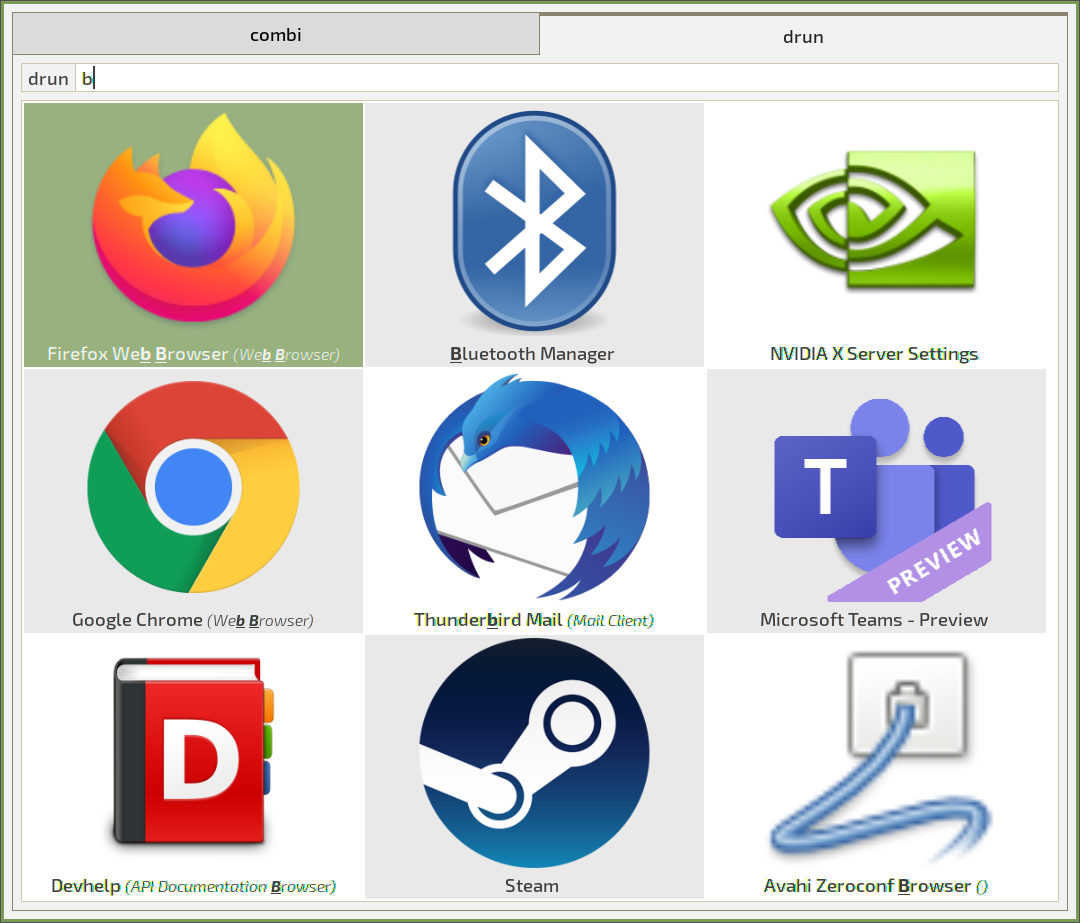
Rezlooks:
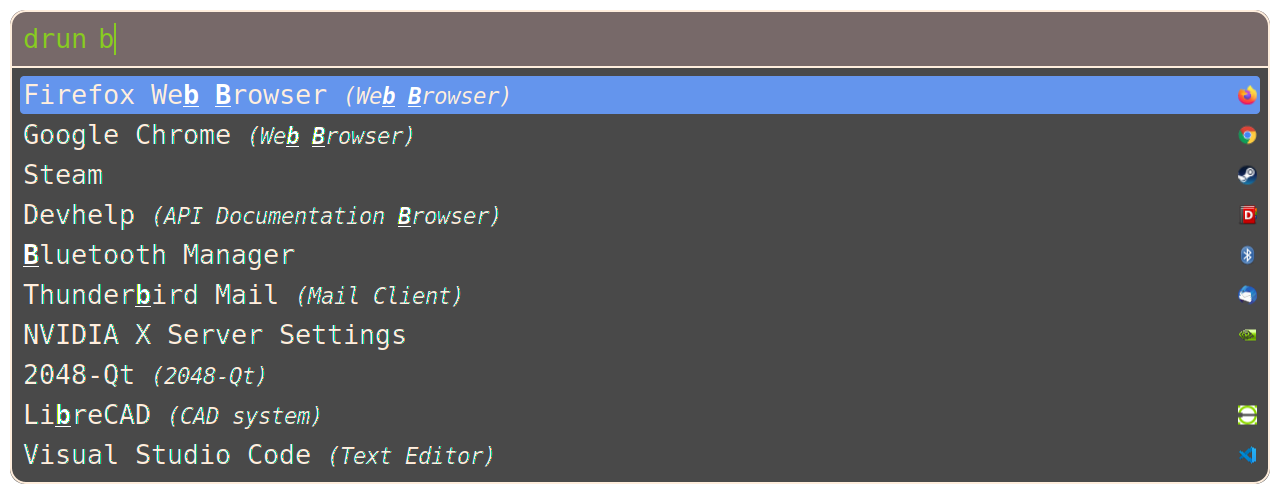
Arthur:
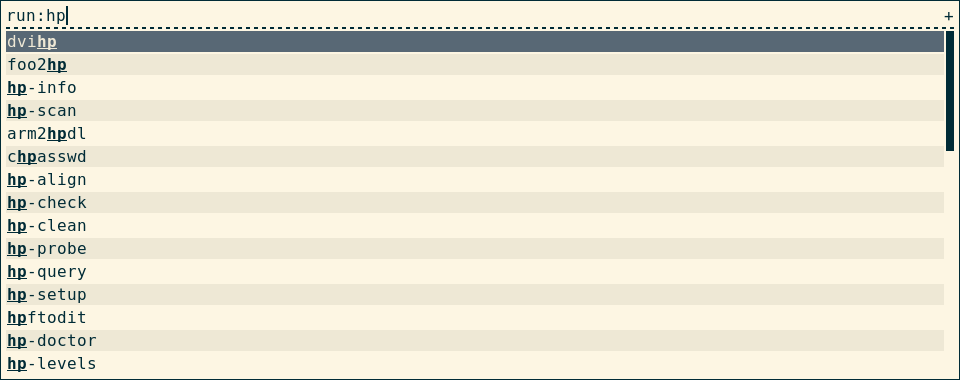
Default theme:
## Wiki
| ❗ **The Wiki is currently unmaintained and might contain outdated data** |
| --- |
[Go to wiki](https://github.com/davatorium/rofi/wiki) .
### Contents
- [User scripts](https://github.com/davatorium/rofi/wiki/User-scripts)
- [Examples](https://github.com/davatorium/rofi/wiki#examples)
- [dmenu Specs](https://github.com/davatorium/rofi/wiki/dmenu_specs)
- [mode Specs](https://github.com/davatorium/rofi/wiki/mode-Specs)
- [F.A.Q.](https://github.com/davatorium/rofi/wiki/Frequently-Asked-Questions).
- [Script mode](https://github.com/davatorium/rofi/wiki/rfc-script-mode)
- [Creating an issue](https://github.com/davatorium/rofi/blob/master/.github/CONTRIBUTING.md)
- [Creating a Pull request](https://github.com/davatorium/rofi/wiki/Creating-a-pull-request)
## Discussion places
The [GitHub Discussions](https://github.com/davatorium/rofi/discussions) is the
preferred location for discussions.
- [GitHub Discussions](https://github.com/davatorium/rofi/discussions)
- IRC (#rofi on irc.libera.chat)
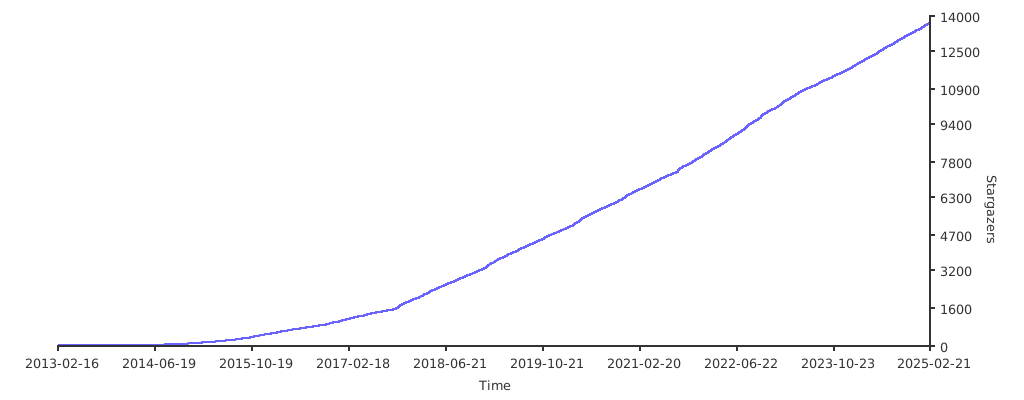
### Stargazers over time
[](https://starchart.cc/davatorium/rofi)
|
