1
2
3
4
5
6
7
8
9
10
11
12
13
14
15
16
17
18
19
20
21
22
23
24
25
26
27
28
29
30
31
32
33
34
35
36
37
38
39
40
41
42
43
44
45
46
47
48
49
50
51
52
53
54
55
56
57
58
59
60
61
62
63
64
65
66
67
68
69
70
71
72
73
74
75
76
77
78
79
80
81
82
83
84
85
86
87
88
89
90
91
92
93
94
95
96
97
98
99
100
101
102
103
104
105
106
107
108
109
110
111
112
113
|
# sphinxcontrib-typer
A Sphinx directive for auto generating docs for [Typer](https://typer.tiangolo.com/)
(and [Click](https://click.palletsprojects.com/) commands!) using the rich console
formatting available in [Typer](https://typer.tiangolo.com/). This package generates
concise command documentation in text, html or svg formats out of the box, but if your
goal is to greatly customize the generated documentation
[sphinx-click](https://sphinx-click.readthedocs.io/en/latest/) may be more appropriate
and will also work for [Typer](https://typer.tiangolo.com/) commands.
## Installation
Install with pip::
pip install sphinxcontrib-typer
Add ``sphinxcontrib.typer`` to your ``conf.py`` file:
```python
# be sure that the commands you want to document are importable
# from the python path when building the docs
import sys
from pathlib import Path
sys.path.insert(0, str(Path(__file__).parent / '../path/to/your/commands'))
extensions = [
...
'sphinxcontrib.typer',
...
]
```
## Usage
Say you have a command in the file ``examples/example.py`` that looks like
this:
```python
import typer
import typing as t
app = typer.Typer(add_completion=False)
@app.callback()
def callback(
flag1: bool = typer.Option(False, help="Flag 1."),
flag2: bool = typer.Option(False, help="Flag 2.")
):
"""This is the callback function."""
pass
@app.command()
def foo(
name: str = typer.Option(..., help="The name of the item to foo.")
):
"""This is the foo command."""
pass
@app.command()
def bar(
names: t.List[str] = typer.Option(..., help="The names of the items to bar."),
):
"""This is the bar command."""
pass
if __name__ == "__main__":
app()
```
You can generate documentation for this command using the ``typer`` directive
like so:
```rst
.. typer:: examples.example.app
:prog: example1
:width: 70
:preferred: html
```
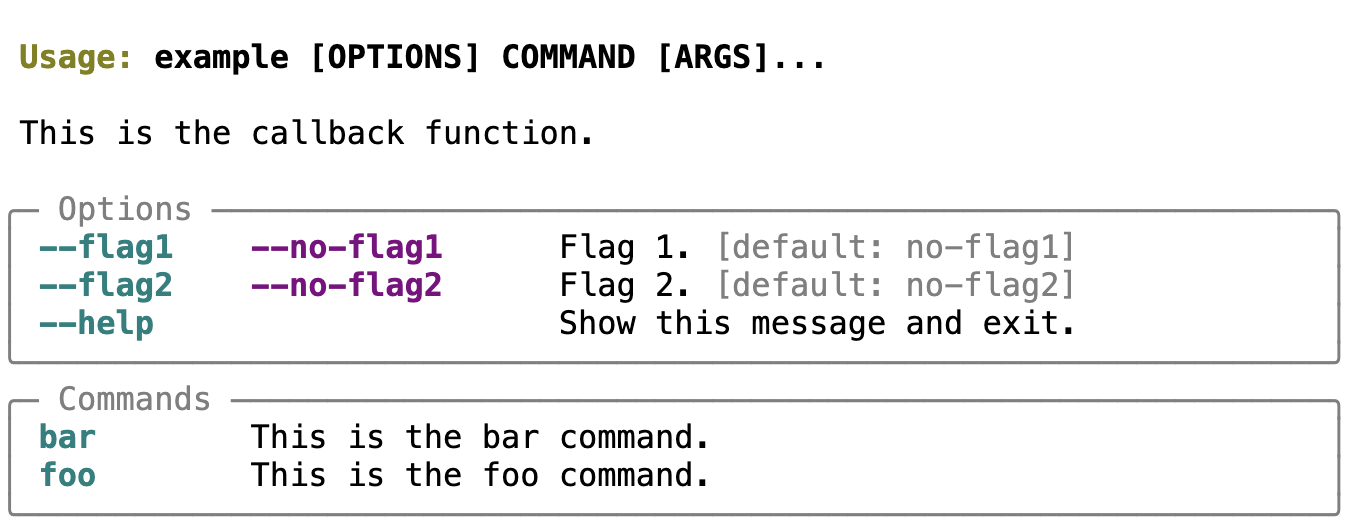
This would generate html that looks like this:
You could change ``:preferred:`` to svg, to generate svg instead:
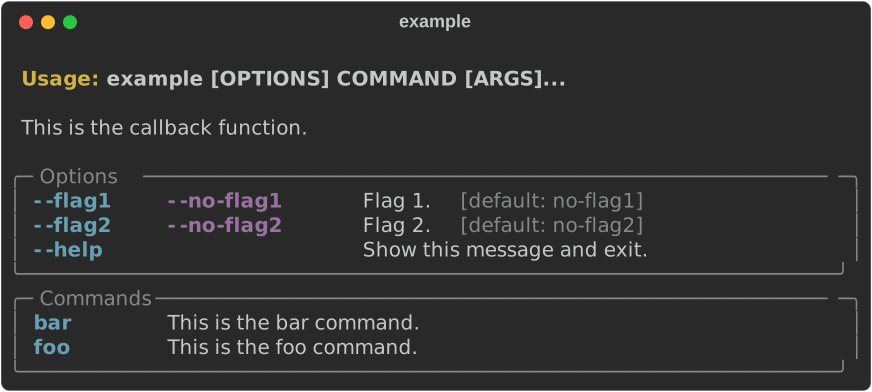
|
Or to text
Usage: example [OPTIONS] COMMAND [ARGS]...
This is the callback function.
╭─ Options ──────────────────────────────────────────────────────────╮
│ --flag1 --no-flag1 Flag 1. [default: no-flag1] │
│ --flag2 --no-flag2 Flag 2. [default: no-flag2] │
│ --help Show this message and exit. │
╰────────────────────────────────────────────────────────────────────╯
╭─ Commands ─────────────────────────────────────────────────────────╮
│ bar This is the bar command. │
│ foo This is the foo command. │
╰────────────────────────────────────────────────────────────────────╯
The ``typer`` directive has options for generating docs for all subcommands as well
and optionally generating independent sections for each. There are also mechanisms
for passing options to the underlying console and svg generation functions. See the
official documentation for more information.
|
