1
2
3
4
5
6
7
8
9
10
11
12
13
14
15
16
17
18
19
20
21
22
23
24
25
26
27
28
29
30
31
32
33
34
35
36
37
38
39
40
41
42
43
44
45
46
47
48
49
50
51
52
53
54
55
56
57
58
59
60
61
62
63
64
65
66
67
68
69
70
71
72
73
74
75
76
77
78
79
80
81
82
83
84
85
86
87
88
89
90
91
92
93
94
95
96
97
98
99
100
101
102
103
104
105
106
107
108
109
110
111
112
113
114
115
116
117
118
119
120
121
122
123
124
125
126
127
128
129
130
131
132
133
134
135
136
137
138
139
140
141
142
143
144
145
146
147
148
149
150
151
152
153
154
155
156
157
158
159
160
161
162
163
164
165
166
167
168
169
170
171
172
173
174
175
176
177
178
179
180
181
182
183
184
185
186
187
188
189
|

[](https://pepy.tech/project/streamrip)
[](https://github.com/python/black)
A scriptable stream downloader for Qobuz, Tidal, Deezer and SoundCloud.

## Features
- Fast, concurrent downloads powered by `aiohttp`
- Downloads tracks, albums, playlists, discographies, and labels from Qobuz, Tidal, Deezer, and SoundCloud
- Supports downloads of Spotify and Apple Music playlists through [last.fm](https://www.last.fm)
- Automatically converts files to a preferred format
- Has a database that stores the downloaded tracks' IDs so that repeats are avoided
- Concurrency and rate limiting
- Interactive search for all sources
- Highly customizable through the config file
- Integration with `youtube-dl`
## Installation
First, ensure [Python](https://www.python.org/downloads/) (version 3.10 or greater) and [pip](https://pip.pypa.io/en/stable/installing/) are installed. Then install `ffmpeg`. You may choose not to install this, but some functionality will be limited.
```bash
pip3 install streamrip --upgrade
```
If you run into issues, try installing directly from the `dev` branch:
```bash
pip3 install git+https://github.com/nathom/streamrip.git@dev
```
When you type
```bash
rip
```
it should show the main help page. If you have no idea what these mean, or are having other issues installing, check out the [detailed installation instructions](https://github.com/nathom/streamrip/wiki#detailed-installation-instructions).
For Arch Linux users, an AUR package exists. Make sure to install required packages from the AUR before using `makepkg` or use an AUR helper to automatically resolve them.
```
git clone https://aur.archlinux.org/streamrip.git
cd streamrip
makepkg -si
```
or
```
paru -S streamrip
```
Alternatively, for users of Homebrew, you can install streamrip through brew.
```
brew install streamrip
```
### Streamrip beta
If you want to get access to the latest and greatest features without waiting for a new release, install
from the `dev` branch with the following command
```bash
pip3 install git+https://github.com/nathom/streamrip.git@dev
```
## Example Usage
**For Tidal and Qobuz, you NEED a premium subscription.**
Download an album from Qobuz
```bash
rip url https://www.qobuz.com/us-en/album/rumours-fleetwood-mac/0603497941032
```
Download multiple albums from Qobuz
```bash
rip url https://www.qobuz.com/us-en/album/back-in-black-ac-dc/0886444889841 https://www.qobuz.com/us-en/album/blue-train-john-coltrane/0060253764852
```
Download the album and convert it to `mp3`
```bash
rip --codec mp3 url https://open.qobuz.com/album/0060253780968
```
To set the maximum quality, use the `--quality` option to `0, 1, 2, 3, 4`:
| Quality ID | Audio Quality | Available Sources |
| ---------- | --------------------- | -------------------------------------------- |
| 0 | 128 kbps MP3 or AAC | Deezer, Tidal, SoundCloud (most of the time) |
| 1 | 320 kbps MP3 or AAC | Deezer, Tidal, Qobuz, SoundCloud (rarely) |
| 2 | 16 bit, 44.1 kHz (CD) | Deezer, Tidal, Qobuz, SoundCloud (rarely) |
| 3 | 24 bit, ≤ 96 kHz | Tidal (MQA), Qobuz, SoundCloud (rarely) |
| 4 | 24 bit, ≤ 192 kHz | Qobuz |
```bash
rip --quality 3 url https://tidal.com/browse/album/147569387
```
> Using `4` is generally a waste of space. It is impossible for humans to perceive the difference between sampling rates higher than 44.1 kHz. It may be useful if you're processing/slowing down the audio.
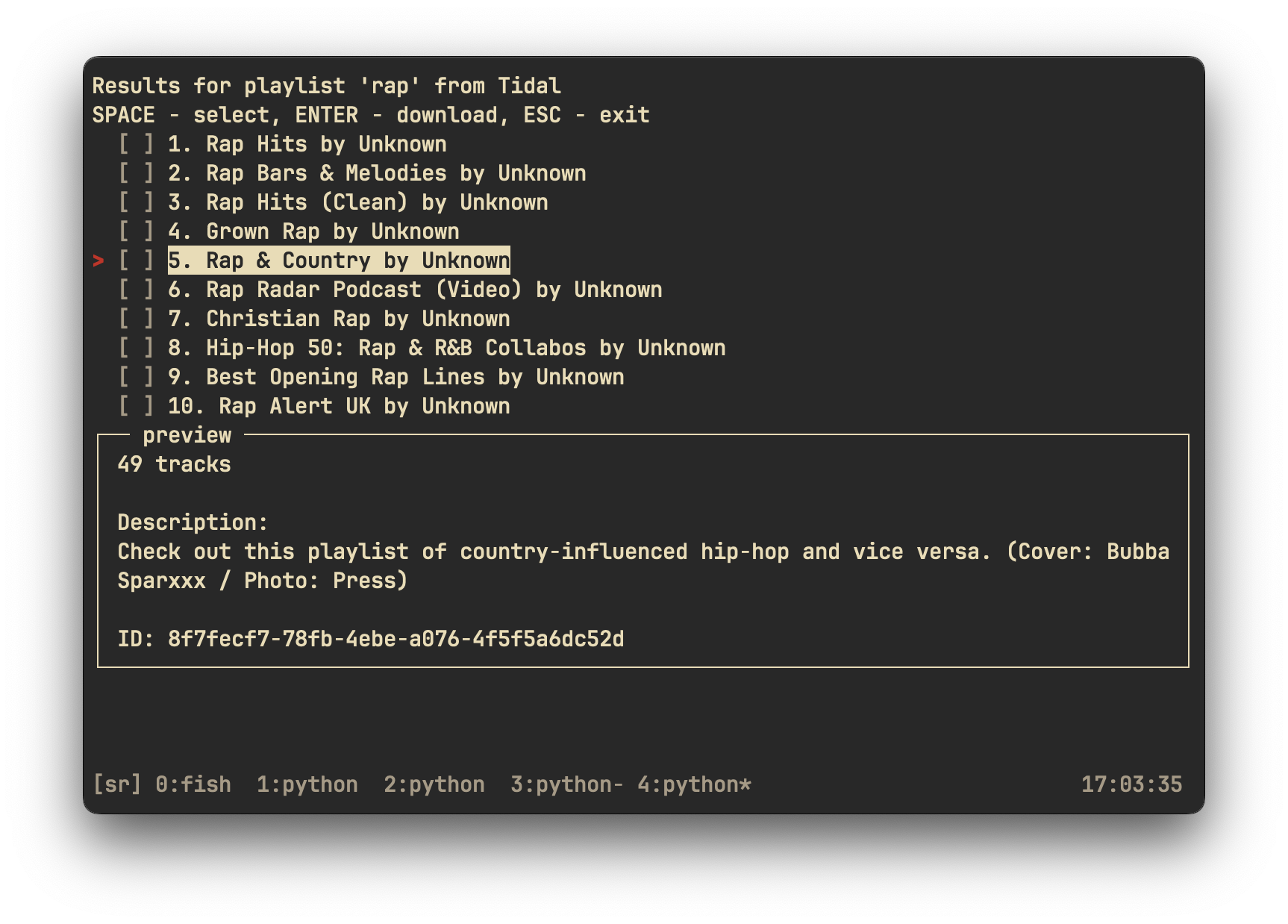
Search for playlists matching `rap` on Tidal
```bash
rip search tidal playlist 'rap'
```
Search for *Rumours* on Tidal, and download it
```bash
rip search tidal album 'fleetwood mac rumours'
```
Download a last.fm playlist using the lastfm command
```
rip lastfm https://www.last.fm/user/nathan3895/playlists/12126195
```
For more customization, see the config file
```
rip config open
```
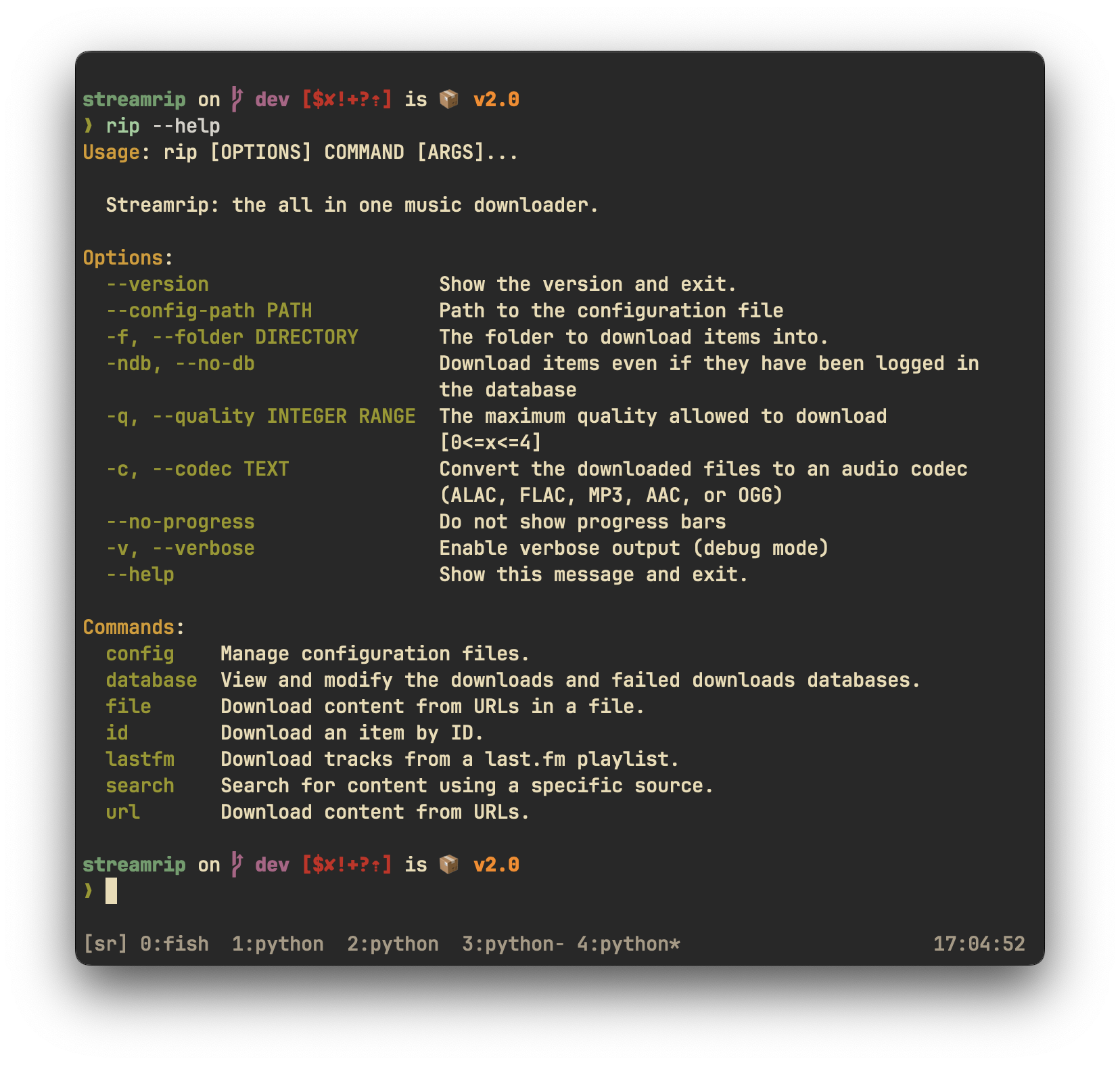
If you're confused about anything, see the help pages. The main help pages can be accessed by typing `rip` by itself in the command line. The help pages for each command can be accessed with the `--help` flag. For example, to see the help page for the `url` command, type
```
rip url --help
```
## Other information
For more in-depth information about `streamrip`, see the help pages and the [wiki](https://github.com/nathom/streamrip/wiki/).
## Contributions
All contributions are appreciated! You can help out the project by opening an issue
or by submitting code.
### Issues
If you're opening an issue **use the Feature Request or Bug Report templates properly**. This ensures
that I have all of the information necessary to debug the issue. If you do not follow the templates,
**I will silently close the issue** and you'll have to deal with it yourself.
### Code
If you're new to Git, follow these steps to open your first Pull Request (PR):
- Fork this repository
- Clone the new repository
- Commit your changes
- Open a pull request to the `dev` branch
Please document any functions or obscure lines of code.
### The Wiki
To help out `streamrip` users that may be having trouble, consider contributing some information to the wiki.
Nothing is too obvious and everything is appreciated.
## Acknowledgements
Thanks to Vitiko98, Sorrow446, and DashLt for their contributions to this project, and the previous projects that made this one possible.
`streamrip` was inspired by:
- [qobuz-dl](https://github.com/vitiko98/qobuz-dl)
- [Qo-DL Reborn](https://github.com/badumbass/Qo-DL-Reborn)
- [Tidal-Media-Downloader](https://github.com/yaronzz/Tidal-Media-Downloader)
- [scdl](https://github.com/flyingrub/scdl)
## Disclaimer
I will not be responsible for how **you** use `streamrip`. By using `streamrip`, you agree to the terms and conditions of the Qobuz, Tidal, and Deezer APIs.
## Sponsorship
Consider becoming a Github sponsor for me if you enjoy my open source software.
|
